You don't need a tool, a login, or a fake score to get a rough idea of how an applicant tracking system reads your resume. You can do it in ten seconds with something already on your computer: copy and paste. It's crude, but it reveals the single most important thing, whether the software can read your file at all. Here's the test, what the results mean, and where it stops being enough.
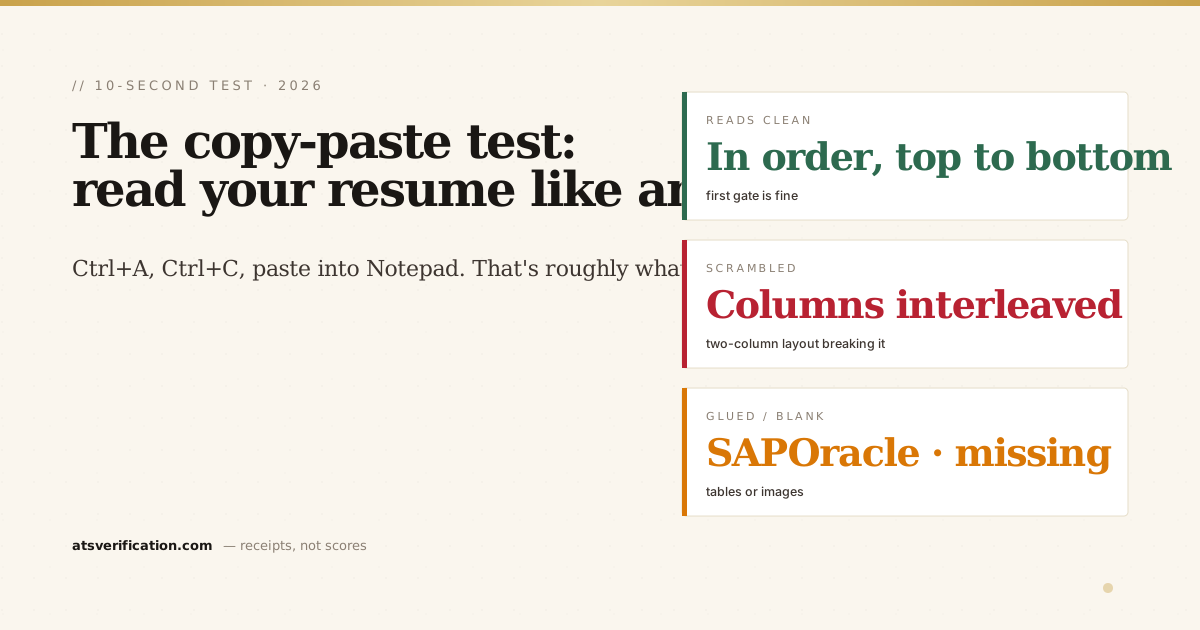
- The test: open your resume, select all, copy, and paste into a plain-text editor (Notepad, TextEdit, or an empty email). What you see is close to what an ATS extracts.
- Reading order is the tell. If your job history and a sidebar interleave, or sections come out shuffled, a two-column layout is scrambling your resume.
- Glued or missing words matter. "SAPOracle" or a name mashed into one token means cells or letters ran together; blank spots mean text that was really an image.
- It's directional, not exact. The copy-paste test proves whether your file is roughly readable; it won't catch every issue a real parser flags.
- If the paste looks scrambled, so does your application. Fix the layout before you apply, a clean paste is the floor, not the finish line.
The test, step by step
- Open your resume in whatever it lives in, the PDF, the Word file, whatever you actually send.
- Select everything: Ctrl+A (Windows) or Cmd+A (Mac).
- Copy it: Ctrl+C / Cmd+C.
- Open a plain-text surface, Notepad (Windows), TextEdit in plain-text mode (Mac), or just an empty email or Google Doc.
- Paste: Ctrl+V / Cmd+V.
Now read what landed. Stripped of your fonts, columns, and design, this raw text is close to what an ATS pulls out and files into its database. If it reads cleanly, top to bottom, in the order a human would, good sign. If it's a mess, that mess is roughly what a recruiter's software stored under your name. And since nearly all large employers run an ATS, that stored version is what most of your applications are actually judged on.
What the results mean
✅ It reads cleanly, in order
Name at the top, then your sections in sequence, every word present. That means your file is fundamentally readable, the first gate is likely fine. (Understanding what happens next is in what is an ATS and how it reads your resume.)
⚠️ The order is scrambled
Your work history is interleaved with a skills sidebar, or sections come out shuffled. That's the fingerprint of a two-column layout: the parser reads across the page row by row instead of down each column. Switch to a single column and re-test.
⚠️ Words are glued together or your name is one token
You see things like "SAPOracle" or "MUHAMMADTANZEELHAYDER." That's cells from a table running together, or letter-spacing that removed the real spaces, one of the ways the ATS loses your name. Fix the spacing and un-table the layout. (If nothing pasted at all, the text was really an image, and as the W3C notes on images of text, characters baked into a graphic carry no machine-readable text.)
⚠️ Chunks are missing or blank
Whole sections don't paste, or your name doesn't appear at all. That usually means those parts were images, not text, a logo, a headshot, or a graphic header. The ATS can't read an image any more than your clipboard can. Replace it with real text.
Why this works (and why it's honest)
The copy-paste test isn't magic, it's the same principle a real parser uses: strip the visual formatting and see what text survives. That's also why it's an honest first check. It doesn't hand you an invented "82% score" (no real system produces one, as we cover in are ATS checkers accurate). It just shows you the raw text, and lets you judge. Free, no signup, no upsell. It's also the most private way to check, nothing leaves your computer, which is why it comes up in is it safe to upload your resume to an ATS checker.
Where the test stops being enough
The copy-paste test has real limits. Your clipboard and an ATS parser aren't identical engines, so a resume that pastes fine can still trip a specific detector, a repeated contact line in a page header, an ambiguous date format, non-standard section headings the software doesn't recognize. The test proves your file is roughly readable; it won't grade the details.
That's the gap a proper scan fills. A free ATS scan runs your real file through an actual parsing pipeline and flags the specific structural issues, reading-order scrambles, duplicated contact lines, unrecognized headings, glued tokens, with the exact fix for each. Think of the copy-paste test as the ten-second smell check, and the scan as the full read. Do the smell check right now; if anything looks off, the scan tells you precisely what to fix. Either way, you're looking at what the machine sees, which beats guessing at a made-up number.
When I posted the live failure counts to r/resumes, the most useful reply was a variation on this test: the "autofill from resume" preview on Workday and Greenhouse is the real parser showing its output before you submit. That tip, and the other eleven questions a thread of 447,000 people asked, are in resume parsing questions answered.
One more free check worth knowing: the "autofill with resume" preview on a Workday or Greenhouse application is the employer's own parser showing you its output. That tip, and the other eleven questions a 447,000-view Reddit thread asked about parsing, are in the 12 resume parsing questions answered.