"Never use a table" is one of the most repeated rules in resume advice, and it's not quite right. The truth is more useful: a parser can read the text inside a table, and in our own testing a simple skills grid came through perfectly. Tables break parsing in two specific ways, and once you know which two, you can tell the difference between a table that's fine and a table that quietly wrecks your application.
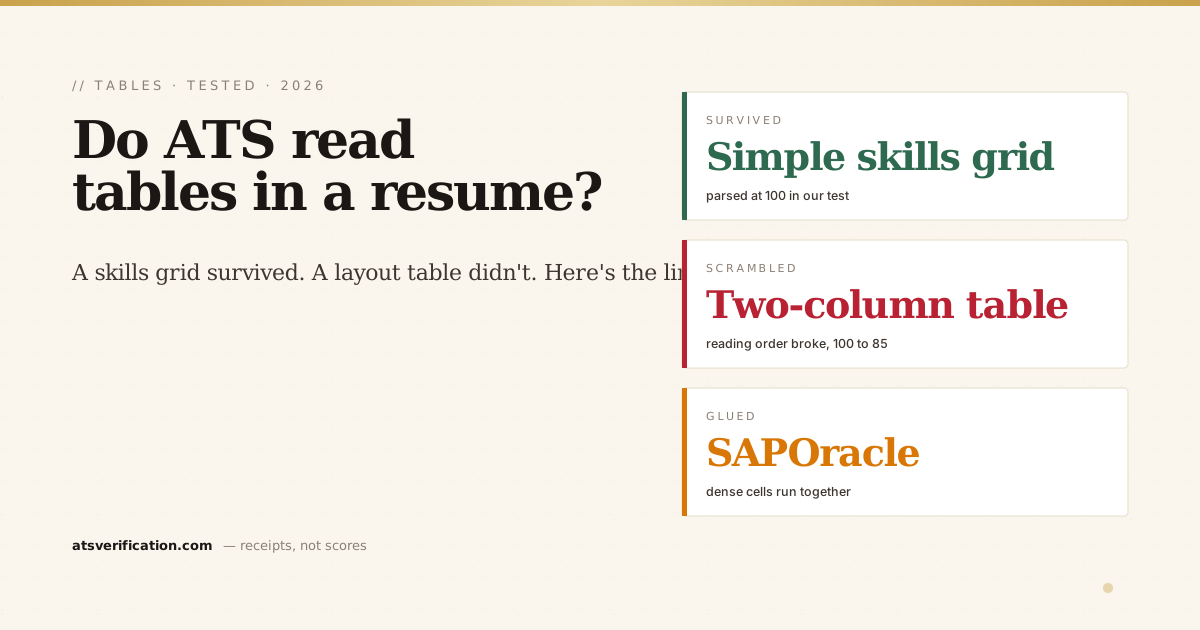
- Tables aren't automatically fatal. In our 2026 parsing benchmark, a skills section laid out as a simple grid parsed at a clean 100, the text extracted fine.
- They break in two ways. A table used to place content side by side scrambles reading order; a dense table can glue adjacent cells into one token (e.g. "SAPOracle").
- The worst offender is the layout table. A two-column resume is really a big invisible table, and it was the only layout in our test to draw a critical flag, dropping from 100 to 85.
- Simple ≠ safe by default. A one-row skills grid usually survives; a multi-row, multi-column table is a coin flip that depends on the engine.
- The safe rule: never use a table to position content. If you must use one, keep it to a single simple list, and know a plain list is always safer.
What a parser actually does with a table
When an ATS reads your resume it isn't looking at the visual grid you see, it flattens the document into a stream of text and tries to file it into structured fields (the mechanics are in what is an ATS and how it reads your resume). A table is a positioning tool: it tells the page where to place cells. It carries no reliable instruction about what order a machine should read them in. So the parser guesses, and its guess is usually "left to right, top to bottom, across the whole row." That guess is exactly where tables go wrong.
This is the same reason the accessibility world has warned for years against using tables for layout: as the W3C's guidance on tables explains, a table used to arrange a page rather than present real data has no dependable reading order for software to follow. An ATS parser and a screen reader hit the same wall.
Break #1: scrambled reading order
Put your work history in the left column of a table and a skills sidebar in the right, and the parser reads across the row: first job title, then a skill, then a date, then another skill. Your cleanly designed page becomes an interleaved mess in the extracted text. This is precisely what we measured with the most common table-in-disguise, the two-column layout. In the benchmark it was the only one of six layouts to draw a critical reading-order flag, dropping from a perfect 100 to 85. The full case is in are two-column resumes ATS-friendly, and reading-order damage is also one of the ways the ATS loses your name.
Break #2: glued cells
The second failure is quieter. When a dense table is flattened, the text from adjacent cells can run together with no space between them, "SAP" in one cell and "Oracle" in the next become SAPOracle; "Hyperion" and "Syteline" become HyperionSyteline. Now a recruiter searching their database for "Oracle" doesn't match you, because the stored token is a word that doesn't exist. Glued tokens are a signature of flattened tables and show up regularly in the most common parsing failures.
So why did the skills grid survive?
Here's the honest part, and it's why "never use a table" is too blunt. In the benchmark, a skills section laid out as a simple grid, short, single-word entries in a clean row, parsed at 100 with zero issues. Modern text extraction handles that fine: the entries are short, unambiguous, and there's no reading-order dependency because each cell stands alone. The layouts that actually broke were the ones with structure that mattered, side-by-side columns and dense multi-cell blocks. Not every table warning is real; the ones that matter are about position and density, not the mere presence of a grid.
The safe rule
You don't need to memorize edge cases. One rule covers it: never use a table to position content on the page. No two-column layouts, no wrapping your whole resume in a table, no side-by-side sections. If you want a compact skills list, a single simple row of short items is usually fine, but a plain comma-separated line or a short bulleted list does the same job with zero risk. When in doubt, un-table it. The full ATS-friendly format guide covers where structure is safe and where it isn't.
How to know for sure
You can't tell by looking, the table renders perfectly on your screen whether or not it survived the parse. The only way to know is to look at the extracted text. A free ATS scan runs your real file through a parser and shows you exactly what came out: whether your columns stayed in order, whether any cells glued together, and whether your skills are still individually searchable. If your table broke, you'll see it in seconds; if it held, you can stop worrying and keep it.