Resume advice is full of confident claims, "two columns kill your resume," "never use a table," "fancy fonts get you rejected." Most of it is repeated, not tested. So we ran an actual experiment: take one resume, change only the layout, and measure what each change does when a real parser reads it. The results are more nuanced, and more useful, than the usual warnings.
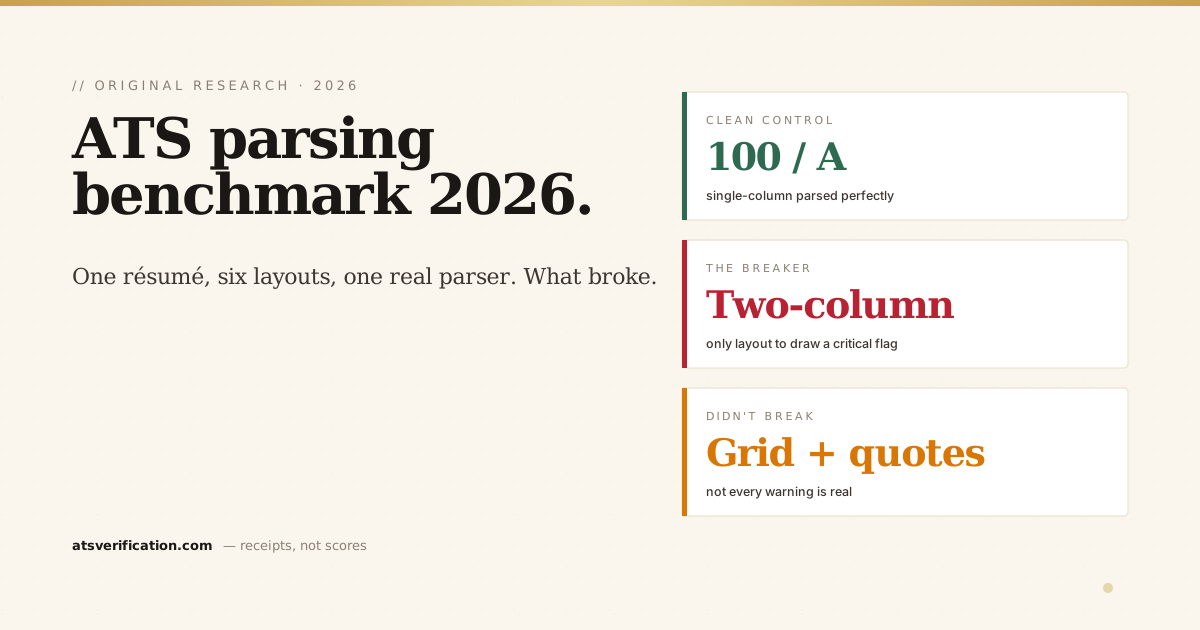
- The clean single-column control parsed perfectly, 100/100, every field extracted, zero issues. That's your baseline.
- Two-column was the one clear breaker. It was the only layout to draw a critical flag (reading-order scramble) and the only one to drop the score, from 100 to 85.
- A repeated page header duplicated the contact line. Putting the email in a running header pulled it out three times, a pattern some ATS engines treat as boilerplate and skip.
- Creative section headings cost points. "A Little About Me" and "What I'm Good At" instead of Summary/Skills tripped the missing-standard-headings check.
- Some "scary" things didn't break at all. A skills grid and em-dashes/curly quotes parsed cleanly. Not every layout warning is real.
- In every case the words still extracted. The failures were structural (reading order, duplicated contact, unrecognized headings), which is exactly what ATS scoring penalizes, even when the raw text survives.
What we did
- One base resume. A single realistic finance résumé, same name, contact, three dated roles, the same ten skills, same education, used for every test, so the only variable is layout.
- Six layout variants. Clean single-column (control), two-column with a sidebar, contact in a repeated page header, skills as a table/grid, creative section headings, and em-dashes plus curly quotes.
- One real pipeline. Each PDF was run through the exact stack our live scanner uses: pdf.js-based text extraction (via pdf-parse) followed by our structural detectors.
- What we measured. Whether the name, email, all three date ranges and the skills survived extraction; how many times the email appeared; which structural failures fired; and the resulting parse-readability score.
Scope & honesty. This is a controlled single-base experiment (round one of a series), run on an ATS-style parser, not a login to Workday or Greenhouse. It measures structural parse-readability, not whether an employer will interview you. We're expanding the corpus next; the method and numbers here are reproducible.
The results
| Layout | Score | Critical / Warnings | What fired |
|---|---|---|---|
| Clean single-column (control) | 100 / A | 0 / 0 | Nothing, perfect parse |
| Two-column + sidebar | 85 / B | 1 / 0 | Reading-order scramble (critical) |
| Contact in a repeated page header | 95 / A | 0 / 1 | Email extracted 3× (header/footer) |
| Creative section headings | 95 / A | 0 / 1 | Missing standard headings |
| Skills as a table/grid | 100 / A | 0 / 0 | Did not break |
| Em-dashes & curly quotes | 100 / A | 0 / 0 | Did not break |
Finding 1: two-column is the real breaker
Of the six layouts, the two-column résumé was the only one to draw a critical flag and the only one to lose points, dropping from a clean 100 to 85. The cause is reading order: when text sits in two side-by-side columns, the parser reconstructs it row by row across the page, interleaving your sidebar into your work history. The words are still in there, but the order is scrambled, which is exactly what the structural detector caught. This matches what we see in the most common parsing failures and why Workday rejects resumes: two columns are the single highest-frequency breaker. That same reading-order scramble is also one of the four ways the ATS loses your name, it gets shuffled out of the window where extraction looks for it.
Finding 2: a repeated header duplicates your contact line
Putting the email in a running page header, common in two-page templates, caused it to be extracted three times, once per header instance. Some ATS engines deliberately skip header and footer regions as boilerplate, so contact details placed only there can be dropped entirely. The fix is simple: keep your contact line in the body of page one, not in the page header.
Finding 3: creative headings cost you the map
Swapping "Professional Summary," "Experience" and "Skills" for "A Little About Me," "Where I've Made an Impact" and "What I'm Good At" tripped the missing-standard-headings check. Parsers use heading text to route content into the right database fields. Personality in your headings reads as a blank map to the software. Standard headings, covered in our ATS-friendly format guide, keep the structure legible.
Finding 4: not every warning is real
This is the part most résumé advice gets wrong. A skills grid and em-dashes plus curly quotes, both routinely called "ATS-unfriendly", parsed cleanly at 100/A in this test. Modern text extraction handles common punctuation and simple grids fine. Chasing every cosmetic warning wastes effort that belongs on the things that actually break, like columns. The mechanics behind which signals matter are in how ATS scoring works.
The nuance that matters
Here's the honest headline: in every variant, the raw text still came out, the name, the email, all three date ranges and all the skills were extractable. The damage wasn't lost words; it was lost structure, scrambled reading order, a duplicated contact line, an unreadable section map. That's the real story of ATS parsing in 2026. It's rarely a clean "rejected" stamp. It's a quietly degraded version of your résumé that ranks lower than it should. The only way to know which version the software built from your file is to look at the extracted output directly.
See what a parser builds from your résumé
This benchmark used one résumé. Yours is the one that matters. Run a free scan and see exactly what gets extracted, name, titles, dates, skills, field by field, and which structural failures fire, with no invented match score attached. The full method behind our detectors is on the methodology page, and more experiments live in research.
Two of these findings now have dedicated deep-dives: are two-column resumes ATS-friendly? and do ATS read headers and footers?
→ Free ATS scan, see the parsed version of your own résumé