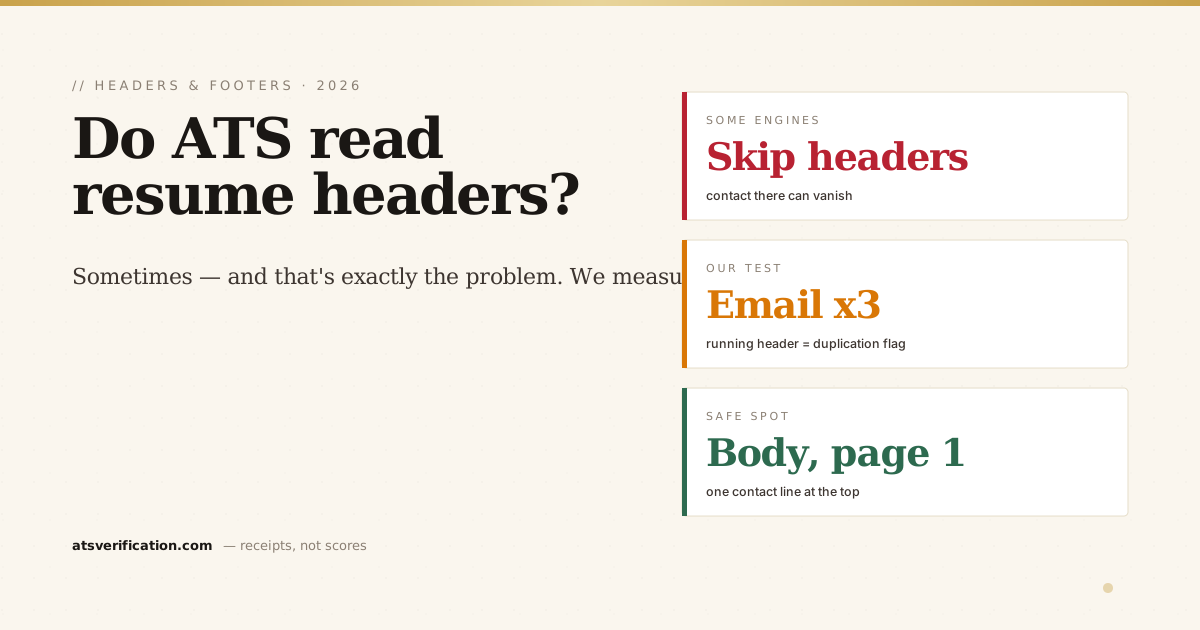
Most resume templates put your name and contact details in the page header, that grey band at the top that repeats on every page. It looks polished. It's also one of the quietest ways to sabotage your application, because applicant tracking systems treat page headers and footers very differently from body text. Here's what actually happens, including what we measured when we tested it.
- Headers and footers are risky territory. Some ATS engines deliberately skip page header/footer regions as boilerplate, anything that lives only there can vanish from your parsed profile.
- We tested it. In our 2026 parsing benchmark, an email placed in a running page header was extracted three times, once per page, a duplication pattern our detector flags because engines that spot it often discard the region entirely.
- The stakes are your callback. If the system can't attach an email or phone number to your profile, a recruiter who wants to contact you may simply have no way to do it.
- The fix is one line. Put your name and contact details in the body of page one, at the very top. Leave page headers and footers empty or decorative only. (A name stuck in the header is also one of the four ways the ATS fails to read your name.)
- Footers have a second trap: page numbers and "References available on request" lines add noise, but critical info placed only in a footer carries the same skip risk.
The short answer
Sometimes, and that's exactly the problem. Whether an ATS reads your header depends on the engine and its configuration. Some extract everything on the page, headers included. Others explicitly exclude header and footer regions because, in most documents, that's where boilerplate lives (page numbers, file names, dates). Since you can't know which engine a given employer runs, and nearly all large employers run one, the only safe assumption is: anything that exists only in a header or footer might not exist at all.
What we measured
For our 2026 ATS parsing benchmark we built a resume with the contact line set in a running page header, the way hundreds of popular templates do it, and ran it through the same pdf.js-based extraction pipeline our scanner uses. Two things happened:
- The email was extracted three times, once for every page the header repeated on. To a parser building your candidate profile, repeated identical contact strings are a classic signature of header/footer content.
- Our header/footer detector flagged it, precisely because engines that recognize this pattern often treat the region as boilerplate and drop it. On those systems, the same resume arrives with no contact information at all.
So the header didn't fail on our test rig, it produced the duplication fingerprint that predicts failure on stricter engines. That's the treacherous part: your resume can look fine on one checker and arrive contactless at an employer running a stricter configuration. It's the same class of silent structural damage as the two-column layout problem, the words survive, the structure betrays you. (Links stuck only in the header are at risk too, see do ATS read hyperlinks.)
Why parsers distrust headers and footers
Think about what lives in the header/footer of a typical business document: page numbers, dates, file paths, confidentiality notices. Parsing engineers know this, so header/footer regions are the first candidates for exclusion when an engine wants clean body text. A PDF also doesn't label content as "header" the way Word does, engines infer it from position and repetition. That inference is exactly what makes the outcome unpredictable: your carefully designed contact band may be classified as body text by one engine and as boilerplate by another.
Where your contact details actually belong
- Name: the first line of body text on page one, plain text, not a graphic, not inside a text box.
- Contact line: directly under your name, in the body: email, phone, city, LinkedIn. One line, one copy.
- Never only in the header/footer. If your template insists on a decorative header, fine, but duplicate nothing critical into it. One copy, in the body.
- Footers: safe for nothing. Skip page numbers on a 1–2 page resume; they add noise and no value.
These placements are part of the broader structural rules in our ATS-friendly resume format guide, and contact extraction is one of the first things the 7-point ATS self-check verifies.
How to fix a header-based template in five minutes
- Open your resume and double-click the header area. Cut everything in it.
- Paste your name and contact line at the very top of the document body, above your summary.
- Delete the footer contents too (page numbers included, unless you're at 3+ pages for a federal resume, where conventions differ).
- Export fresh to PDF or DOCX, don't just print-to-PDF an old copy.
- Re-scan and confirm your email now extracts exactly once.
Check where your contact details ended up
The tell is simple: if your email extracts more than once, it's living in a repeated header; if it extracts zero times, a stricter engine would never see it. Run a free scan and see exactly what gets pulled from your resume, including how many times your contact details appear, with every structural issue flagged and no invented match score attached.
→ Free ATS scan, check if your contact details survive parsing