You added your LinkedIn, your portfolio, maybe your GitHub, clickable, tidy, hidden behind a neat word or an icon. It looks clean. But there's a real chance the applicant tracking system stored none of it, or stored the wrong thing. The way a hyperlink is built on your resume decides whether the software captures your actual URL or just the word sitting on top of it. Here's what an ATS really reads from a link, and how to make sure yours doesn't vanish.
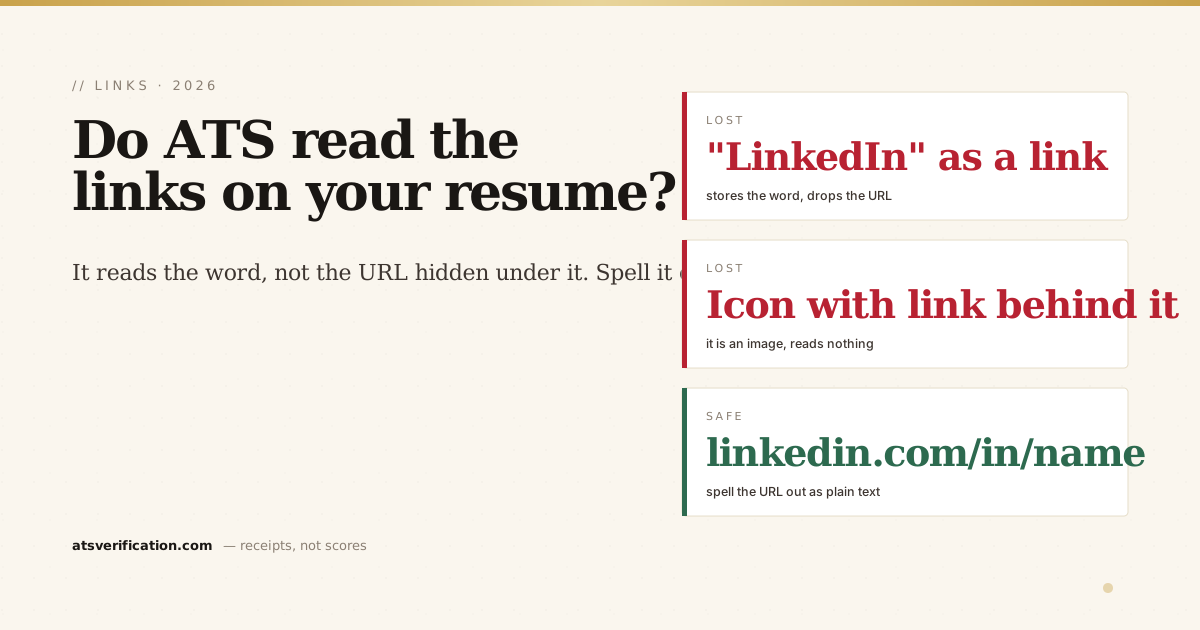
- An ATS reads the visible text, not the hidden link. If "LinkedIn" is a clickable word, the parser may store the word "LinkedIn", not your profile URL.
- Icons are worse. A LinkedIn or GitHub icon with the URL hidden behind it is an image, the parser reads nothing.
- The fix is to show the URL as plain text. Write out linkedin.com/in/yourname so the readable text and the destination are the same thing.
- Location matters too. Links buried only in a page header can be skipped entirely, like other header content.
- Don't rely on a link to carry key information. Anything essential (skills, achievements) belongs in the resume text, not only behind a URL a recruiter may never click.
How to add links on a resume (examples)
Put links in your contact line, written out as the actual address so they survive both a printout and a parser:
- LinkedIn:
linkedin.com/in/your-name(drop the https:// and www.; set a custom URL in LinkedIn first) - Portfolio or website:
yourname.comoryourname.com/portfolio - GitHub:
github.com/your-username - A specific project: a short line under the project, with the address written out
Separate each item with a space and a vertical bar, for example +44 7700 900123 | jane@example.com | linkedin.com/in/jane-smith. Avoid using icons as the only separator: some text readers join the items into one string, so the phone number runs into the email address.
What an ATS actually captures from a link
When an ATS parses your resume, it extracts text (see what an ATS is and how it reads your resume). A hyperlink has two parts: the anchor text you see, and the URL underneath. Many parsers only reliably capture the visible anchor text. So if your resume shows the word "LinkedIn" or "Portfolio" as a clickable link, the software may store exactly that word, "LinkedIn", and drop the actual address. A recruiter looking at your parsed record sees "LinkedIn" with nowhere to go.
The three ways links get lost
- Hidden behind a word. "Portfolio" or "here" as a clickable link → the parser keeps the word, loses the URL.
- Behind an icon. A LinkedIn or GitHub logo with the link attached is an image. The parser reads no text and no URL, as with any image-based content, there's nothing to extract.
- Stranded in the header. Links placed only in the page header can be skipped, because some engines treat header and footer regions as boilerplate, the same reason we tell people to keep contact details in the body (do ATS read headers and footers).
The fix: make the URL the visible text
The reliable rule is simple, write the URL out as plain, readable text, so the thing you see and the destination are identical:
- ✅
linkedin.com/in/yourname - ✅
yourportfolio.com - ❌ the word "LinkedIn" hidden over a link
- ❌ a clickable icon with no visible URL
You can still make it a clickable hyperlink on top of the plain text if you want, the point is that the visible characters are the real address, so even a parser that only reads anchor text captures something useful. Put these in the body of page one, near your name, not in a header.
Don't let a link carry anything essential
Even a perfectly formatted link is only useful if a human clicks it, and many recruiters, scanning fast, won't. So treat links as a bonus, never as storage for something that matters. Your key skills, achievements, and keywords belong in the resume text itself, where both the software and the recruiter will see them (that's the whole logic of how to pass the ATS). A portfolio link is a great supplement; it's a terrible place to hide your best evidence.
How to check what survived
You can't tell whether your links parsed by looking at the resume, they render as neat clickable text either way. Verify it: the copy-paste test (paste into Notepad) shows you instantly whether your actual URLs come through or collapse into words like "LinkedIn," and a free ATS scan shows the exact text extracted from your file, no invented score, no signup. If your links vanished, you'll see it in seconds and can fix them before you apply.