Your skills section matters more in 2026 than it ever has. A growing share of employers now filter candidates by specific required skills before anyone reads your job history, so the words in that section can decide whether you're even in the shortlist. But here's the catch almost no advice mentions: it doesn't matter how good your skills are if the software can't read them. The way you format that section quietly decides whether your skills get stored, searched, and matched, or lost. Here's how to list them so they actually count.
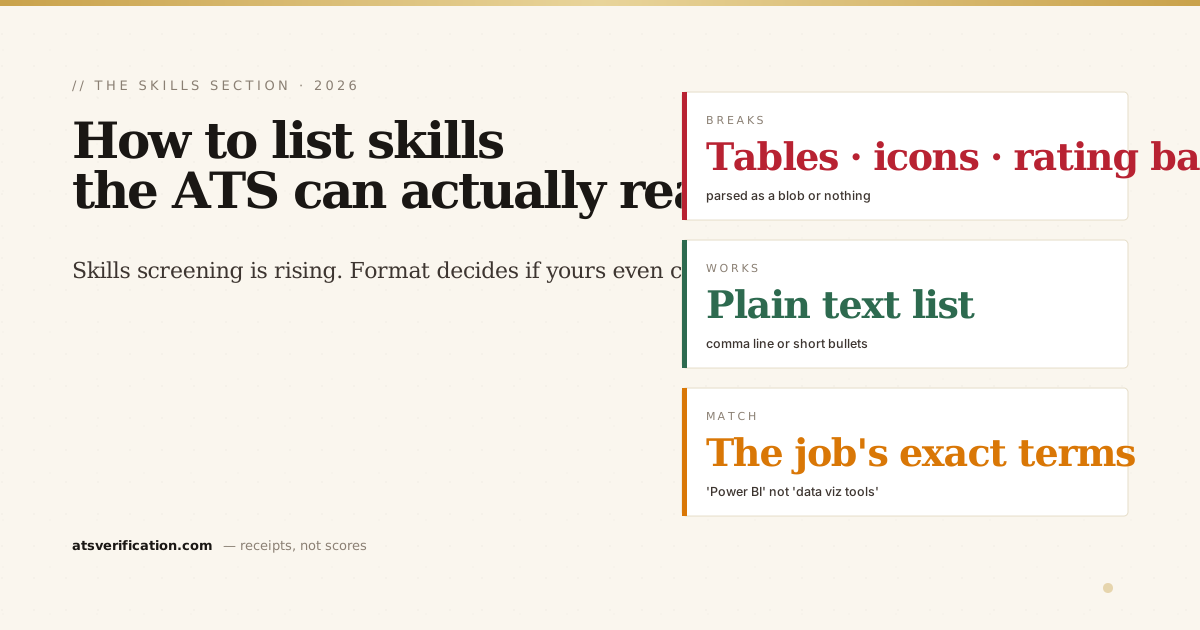
- Skills-based screening is rising. Many employers now filter on specific skills first, so the section is no longer optional or decorative.
- Format decides readability. Skills in a multi-column table, behind icons, or shown only as rating bars often don't parse, the software stores a blob or nothing.
- Plain text wins. A simple comma-separated line or a short bulleted list under a "Skills" heading is the most reliably parsed format.
- Mirror the job's exact terms. If the posting says "Power BI," write "Power BI," not "data visualization tools." Recruiters search the exact phrase.
- Put your top skills in your bullets too. A skill proven inside a real accomplishment carries far more weight than the same word floating in a list.
Why the skills section suddenly matters more
Hiring has been shifting from title-based to skills-based screening, recruiters increasingly search their applicant database for specific competencies and tools before they ever open a work-history section. That means your Skills section isn't a footnote; it's often the first filter (the mechanics of how this search works are in how ATS scoring works). Which makes the formatting question urgent: if the parser can't extract your skills cleanly, you fail a filter you'd otherwise pass.
The formats that quietly break
- Skills in a multi-column table. The most common mistake. Parsers reading a table row by row can glue adjacent cells into one token, "SAP" and "Oracle" become "SAPOracle," which matches no search. We tested exactly which tables break in do ATS read tables in a resume.
- Skills as icons or logos. A row of little tech logos looks modern and parses as nothing, images carry no readable text.
- Skill "rating bars" or star ratings. Those 4-out-of-5 proficiency bars are graphics. The parser sees the skill word at best and the rating not at all, and the bars often break the layout around them.
- Skills crammed into a sidebar. A two-column layout with skills in the sidebar interleaves them into your other sections and scrambles the reading order.
The format that actually works
It's deliberately plain. Under a standard "Skills" heading (recognized headings matter, see the safe headings list), list your skills as either:
- A simple comma-separated line: Python, SQL, Power BI, financial modeling, stakeholder management
- Or a short bulleted list grouped by theme if you have many (Languages: … / Tools: … / Domains: …)
Real, selectable text. No table, no icons, no bars. This is the version a parser extracts cleanly every time.
Which skills to list, mirror the job
Don't list generic soft-skill filler. List the concrete, searchable terms the specific posting names: the tools, software, certifications, and methodologies. If the job says "Power BI," write "Power BI" exactly, not "data visualization tools", because a recruiter searches the literal phrase. This is the honest version of keyword matching, covered in depth in ATS keywords vs action verbs. Only list skills you genuinely have; the interview will expose invented ones. (The exact same logic runs recruiter search on LinkedIn, see LinkedIn headline examples for how these terms work in your profile.)
The move most people miss: skills in context
A skills list gets you matched, but a skill proven inside an accomplishment is far more convincing to the recruiter who reads you next. So beyond the Skills section, weave your top skills into your experience bullets: "cut month-end close from 8 days to 5 using SQL and Power BI" beats listing "SQL, Power BI" alone. You get the keyword match and the evidence.
How to check your skills actually parsed
You can't tell by looking, a skills table looks fine on screen whether or not it survived. Two ways to verify: the free, private copy-paste test (paste into Notepad and see if your skills come out as clean, separate words), or a free ATS scan that shows you the exact text extracted from your file, including whether each skill is still individually searchable or fused into a blob. No invented score, no signup. For the full picture of getting read and ranked, see how to pass the ATS.