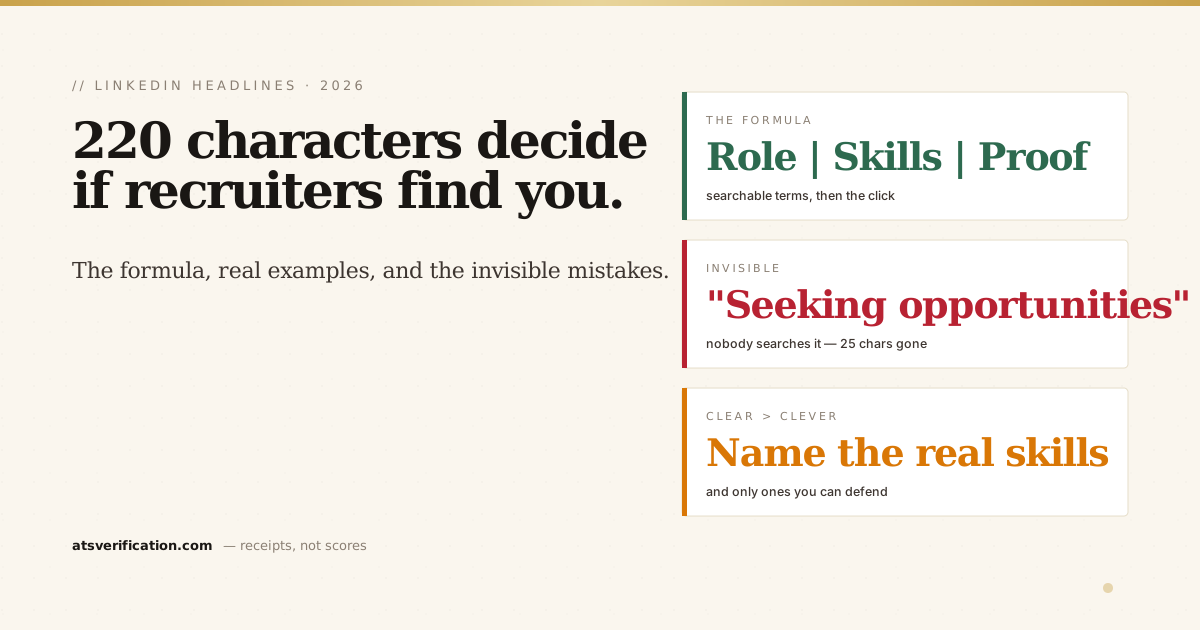
Your LinkedIn headline is 220 characters that decide whether recruiters find you at all. It's the most search-weighted field on your profile and the only text (besides your name) that shows in search results, comments, and connection requests. Most people leave it as "Job Title at Company", which is why most people never hear from recruiters. Here's the formula, real examples by profession, and the mistakes that quietly make you invisible.
- The formula: Target role | 2–4 searchable specialisations or tools | proof (credential, scale, or result).
- Write for the search first, the human second, recruiters type exact terms like "FP&A" or "React," and headlines containing them surface.
- Skip "Seeking opportunities", nobody searches it, and Open to Work already signals it without spending your characters.
- Buzzwords are invisible: "results-driven," "passionate," and "guru" are never search terms.
- Everything must be true. A keyword you can't defend in the first call costs more than it wins.
The formula
[Target role] | [2–4 searchable skills/specialisations] | [proof: credential, scale, or result]
Why this order: the role is what recruiters type most, so it leads. The middle terms catch skill searches and filters. The proof makes the human click once you've surfaced. Notice what's not in the formula, adjectives. "Dedicated," "passionate," and "results-driven" have zero search volume among recruiters; they're the action-verbs-vs-keywords mistake in LinkedIn form.
Examples by situation
Finance
FP&A Analyst | Budgeting & Forecasting • Variance Analysis • SAP • Excel Automation | ACCA | Managing $40M budget cycles
Software engineering
Software Engineer | React, TypeScript, Node.js, AWS | Building scalable web apps | Ex-fintech, 99.9% uptime services
Marketing
Digital Marketing Manager | SEO • Paid Social • Marketing Analytics • HubSpot | Grew organic traffic 3x in 12 months
Recent graduate
Finance Graduate | Financial Modeling • Excel • Power BI | BBA Finance '26 | Seeking FP&A / analyst roles, a new grad's target-role line replaces the proof they don't have yet; the searchable skills do the work (same logic as a fresh-graduate resume).
Career changer
Data Analyst | SQL • Python • Tableau | Former operations manager bringing 8 yrs of business context to analytics, lead with the target role, then let the old career become the differentiator, not the label.
Every example follows the same rules: exact searchable terms, real numbers where they exist (the quantification habit carries straight over from resumes), and nothing the person couldn't defend in an interview.
The five headline mistakes
- "Seeking new opportunities", recruiters never search it, and it spends ~25 of your 220 characters saying what the Open to Work setting already signals.
- Job title at company only, the default. It catches searches for your title, and nothing else you know.
- Buzzword soup, "Visionary | Thought Leader | Change Agent" contains zero searchable terms.
- Clever over clear, "Spreadsheet whisperer" loses to "Financial Analyst" every single search.
- Keywords you can't back up, being found for a skill you don't have starts a conversation you can't finish. If it's not true yet, build it first.
LinkedIn's own guidance on profile headlines makes the same point from their side of the search engine: describe what you do in the terms people look for. And as Career Sidekick's headline analysis shows, headlines that name concrete skills and outcomes consistently outperform vague self-descriptions.
Generate yours from your real resume
The raw material for a great headline already exists, it's in your resume. Our LinkedIn Profile Optimizer builds three headline variants like the examples above from your actual resume (plus an About section, search-ordered skills, and STAR bullets), and honestly reports any target-role keywords your resume can't support instead of faking them. $9, one-time. For the full picture of how recruiter search works, and which other profile fields it reads, see how to optimize your LinkedIn profile for recruiters and how to write your About section; and remember the same keyword logic governs your resume's skills section when you apply through Easy Apply.