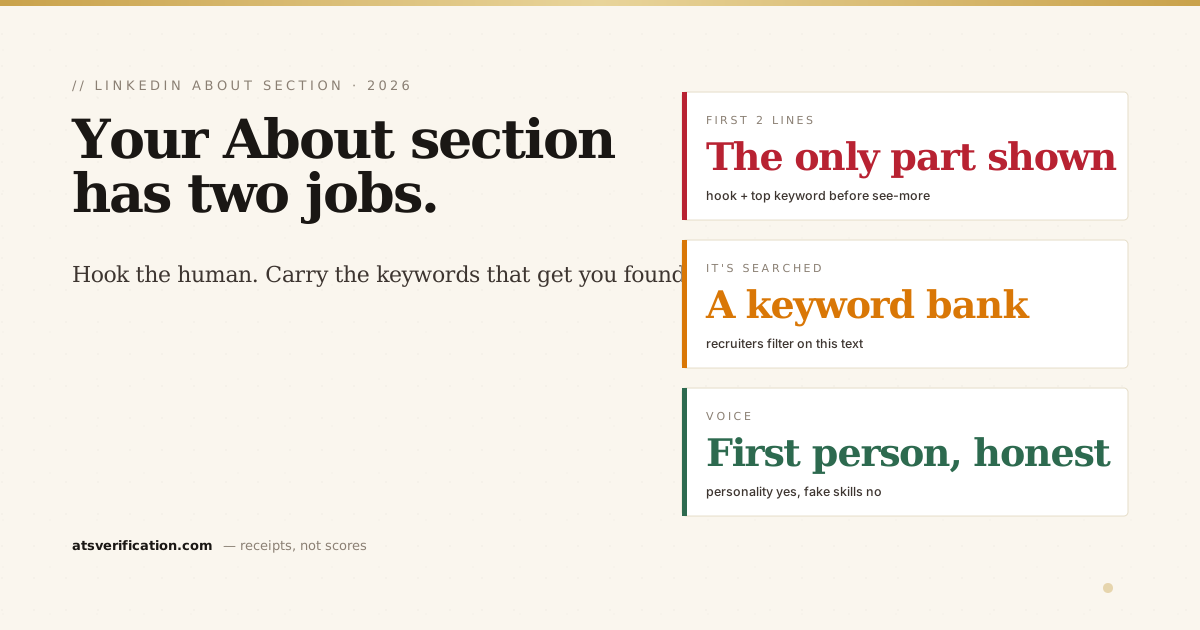
Your LinkedIn About section is the one place on your profile where you get to sound like a person instead of a list. It's also doing quiet work you can't see: it's part of the text LinkedIn Recruiter searches when recruiters look for candidates. So it has two jobs at once, hook the human who's reading, and carry the keywords that make you findable in the first place. Here's a framework that does both, real examples, and the mistakes that waste it.
- The first two lines are everything. LinkedIn cuts the About off at roughly 275 characters on mobile behind a "…see more," so your hook and top keyword go first.
- Write in first person. "I lead…" reads human; a third-person bio reads like a press release.
- It's a searchable keyword bank. Recruiters filter and search on the terms in here, so include the real skills of your target role.
- Prove it with one or two numbers, then end with a soft call to connect.
- Keep it honest. Personality is welcome; invented skills and achievements are not, they surface you into conversations that collapse.
The framework (5 short parts)
- Hook (lines 1–2): who you are, who you help, and the result, with your top keyword. This is all most people see before "…see more."
- What you do: a few lines on your focus and the searchable skills/tools of your target role.
- Proof: one or two concrete, quantified wins ("cut close time from 10 days to 4," "grew organic traffic 3x").
- A bit of you: what drives you, in plain language, this is where the About beats the resume.
- Call to action: "If you're hiring for [role] or want to compare notes on [topic], let's connect."
Example: mid-career finance
I help finance teams turn messy numbers into decisions leaders actually trust. I'm an FP&A analyst focused on forecasting, budgeting, and variance analysis across multi-entity operations.
Over the last five years I've owned monthly close and rolling forecasts for a ~$40M portfolio, automated a reconciliation process that saved my team 10 hours a week, and built the management reports leadership runs on. Tools I live in: SAP, Excel, and a growing stack of Power BI.
What I care about is making the finance function faster and more honest, not just tidier. If you're hiring for FP&A or senior analyst roles, or you just want to swap forecasting war stories, let's connect.
Example: new graduate
Recent finance graduate who'd rather build a model than talk about building one. I focus on financial modeling, Excel, and data visualization, with internship experience in reporting and analysis.
In my final year I led a student consulting project that rebuilt a local business's pricing model and lifted their margin by 8%. I'm looking for FP&A or analyst roles where I can learn fast and quantify my impact from day one. Open to connect with anyone hiring or hiring-adjacent.
Notice the pattern: hook first, real searchable skills woven in, one number as proof, plain human voice, and a clear ask. The quantification habit is the same one that makes resume bullets land, and the searchable-terms habit is the same one that governs your skills section.
The mistakes that waste your About
- A generic first line. "Experienced professional with a passion for excellence" burns your only visible line and contains zero search terms.
- Third person. "Ahmed is a dedicated leader…" reads like someone else wrote it. Use "I."
- No keywords. A beautifully written About with none of your target role's real terms won't surface you in search, see how recruiter search works.
- Buzzword soup. "Results-driven, dynamic, visionary" says nothing and is never searched.
- Faking it. Listing skills you don't have gets you found by a recruiter who tests them in the first call. Honesty isn't a limitation here; it's what survives the conversation.
As the Career Sidekick guide to LinkedIn summaries and Jobscan's summary examples both stress, the strongest About sections read like a person and still contain the exact terms recruiters type.
Generate yours from your real resume
Everything above is a rewriting job over content you already have. Our LinkedIn Profile Optimizer turns your real resume into a hook-first About section (plus three headline options, a search-ordered skills list, and STAR bullets), and it reports the target-role keywords your resume doesn't support as an honest gap instead of faking them. $9, one-time. For the rest of the profile, see LinkedIn headline examples, and if you're also applying through Easy Apply, run a free ATS scan to see what the software pulls from your resume.