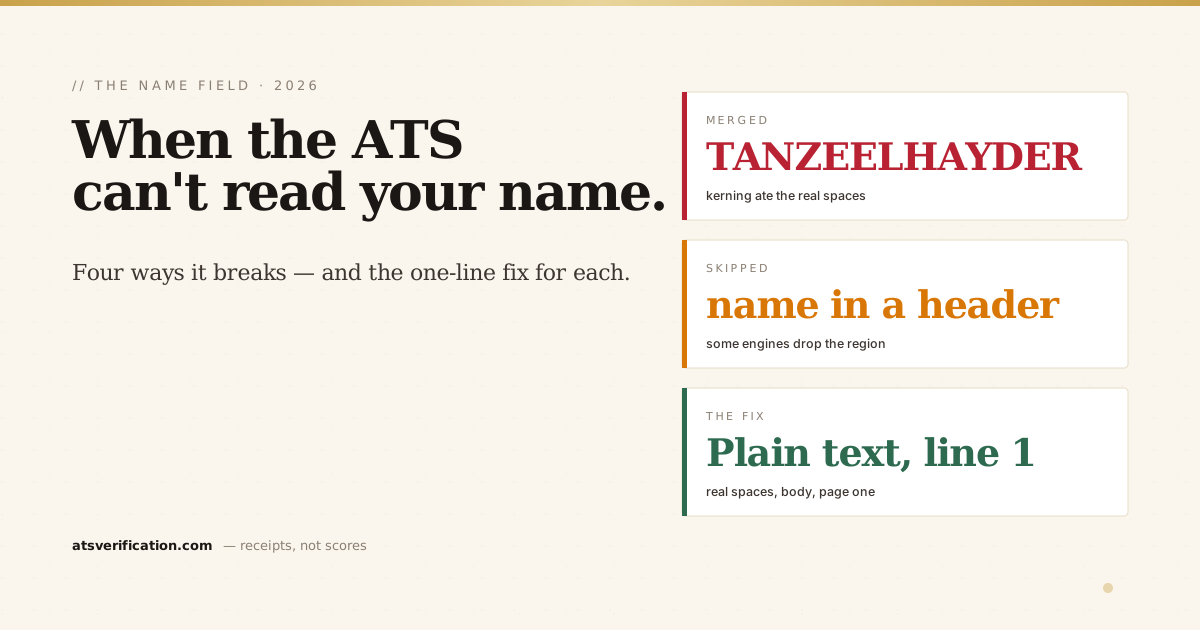
Every other fix on your resume assumes the software can find you first. Your name is the anchor an ATS keys off, it becomes the candidate record, the thing a recruiter searches for by. And it is quietly one of the most common fields to break, usually for reasons you'd never guess from looking at the page. Here are the four ways a name fails to parse, how to tell which one is happening to you, and the exact fix for each.
- Your name is a database field, not a title. The parser tries to pull it into a "candidate name" slot on the very first pass. If it can't, your application can be filed with no name, or the wrong one.
- The page can look perfect and still fail. Letter-spacing, text boxes, headers, and two-column layouts all break name extraction invisibly, the name looks right to your eyes and comes out wrong to the machine.
- Four failure modes cover almost every case: name in a header/text box, name merged into one glued word by kerning, name buried by a scrambled two-column layout, and name never found at all.
- The fix is nearly always the same shape: plain text, real spaces, first line of the body, page one. Boring beats clever here.
- You can see the actual result. The only way to know how the software read your name is to look at the extracted text, which is exactly what a free ATS scan shows you.
Why the name matters more than any keyword
When an applicant tracking system ingests your resume, it doesn't keep the document you designed, it builds a structured record. Name in one field, contact and location in another (where your address should go), work history in a table, skills in a searchable list (the mechanics are in what is an ATS and how it reads your resume). The candidate name is the first field it tries to populate, because it's the primary label for everything that follows.
Get it wrong and two things happen. First, a recruiter searching their database by your name gets nothing, you exist in the system but not under a name anyone will type. Second, some engines file a record with a blank or garbled name, which reads as a broken application before a human has judged a single word of your experience. You can have flawless keywords (how ATS scoring works covers the ranking side) and still be invisible because the anchor never landed.
The four ways a name breaks
1. The name is in a header, footer, or text box
Designers love putting the name in a banner across the top, often that banner is a page header, a floating text box, or an image. To a parser, those regions are unreliable, and since nearly all large employers run an ATS, you can't assume yours is the forgiving kind. Some engines treat repeating header/footer content as boilerplate and skip it entirely; text inside an image isn't text at all, as the W3C's guidance on images of text explains, characters baked into a graphic carry no machine-readable text unless the software runs OCR, which most parsers don't. We measured the header effect directly: in our headers and footers test, contact details placed in a running page header were extracted three times, the duplication fingerprint that predicts a region being discarded. If your name lives only in that band, it can vanish with it.
The tell: your name is visually separated from the body, in a colored bar, a sidebar box, or a graphic. The fix: type your name as ordinary text on the first line of the document body. Not a text box. Not an image. Not a header. Just the first line.
2. The name merges into one glued word
This is the sneaky one. To make a name span nicely across the page, some templates apply letter-spacing or kerning, adjusting the visual gap between characters without inserting real space characters. On screen it looks like "Muhammad Tanzeel Hayder." In the extracted text it can come out as MUHAMMAD TANZEELHAYDER, the surname glued into a single token because the "spaces" you saw were never real spaces. A recruiter searching "Hayder" finds nothing, because the stored token is "TANZEELHAYDER."
The tell: you used a stretched or spaced-out name style, or exported from a design tool. The fix: in your source document, make sure there is a genuine space character between each part of your name, not a letter-spacing or tracking adjustment. Re-export to PDF and re-scan to confirm the tokens separated.
3. A two-column layout buries the name
Two-column resumes scramble reading order, and the name is collateral damage. Parsers rebuild side-by-side columns row by row, interleaving the sidebar into the main content, so your name, which you placed cleanly at the top, can end up shuffled beneath a slab of sidebar text where the parser no longer expects to find it. In our 2026 parsing benchmark, the two-column layout was the only one of six to draw a critical reading-order flag, dropping from 100 to 85, and reading-order damage is exactly what pushes the name out of the first-few-lines window where extraction looks for it. The full case against columns is in are two-column resumes ATS-friendly.
The tell: your resume has a sidebar. The fix: switch to a single-column layout for any application that goes through an ATS. Keep the pretty two-column version for a resume you hand to a human directly.
4. The name is never found at all
Sometimes there's nothing recognizable in the first stretch of text: the name is an image, the resume opens with a "Curriculum Vitae" banner and a photo, or a middle initial and honorifics confuse the pattern the parser expects. The engine scans the opening lines for something name-shaped, finds nothing, and files the record without one. This is the most damaging failure, because it's total, and it's usually the easiest to fix.
The tell: your first line isn't a plain-text first-and-last name, it's a logo, a photo caption, a document title, or a heavily decorated block. The fix: make the very first line of the body a simple "First Last" in plain text. Skip the "Curriculum Vitae" title entirely; the parser doesn't need it and it can crowd out the real anchor. If a headshot is pushing your name down, see whether you should put a photo on your resume, it depends on where you're applying.
How to see what actually happened
Here's the uncomfortable part: you cannot tell any of this by looking at your resume, because your resume looks fine, that's the whole problem. The name renders perfectly to your eyes while coming out broken to the machine. The only way to know is to look at the extracted text, the way the software sees it, the quick version is the copy-paste test (paste your resume into Notepad and see if your name survives).
That's the one thing a fake "ATS score" can't give you and a chatbot can't either, ChatGPT rewrites the words you paste, but it never opens your actual file, so it can't tell you your name glued together on export. A free ATS scan runs your real file through a parser and shows you exactly what came out, including whether your name survived, merged, or disappeared. If it's wrong, you'll see it in seconds; if it's right, you stop worrying.
The one-line rule
Every fix above collapses into a single habit: your name should be plain text, with real spaces, on the first line of the body, on page one. No box, no banner, no image, no stretch, no column. It's the least creative part of your resume and it should stay that way, because it's not decoration, it's the key the whole record is filed under. Spend your creativity on the bullets (the full ATS-friendly format guide shows where personality is safe) and leave the anchor boring.