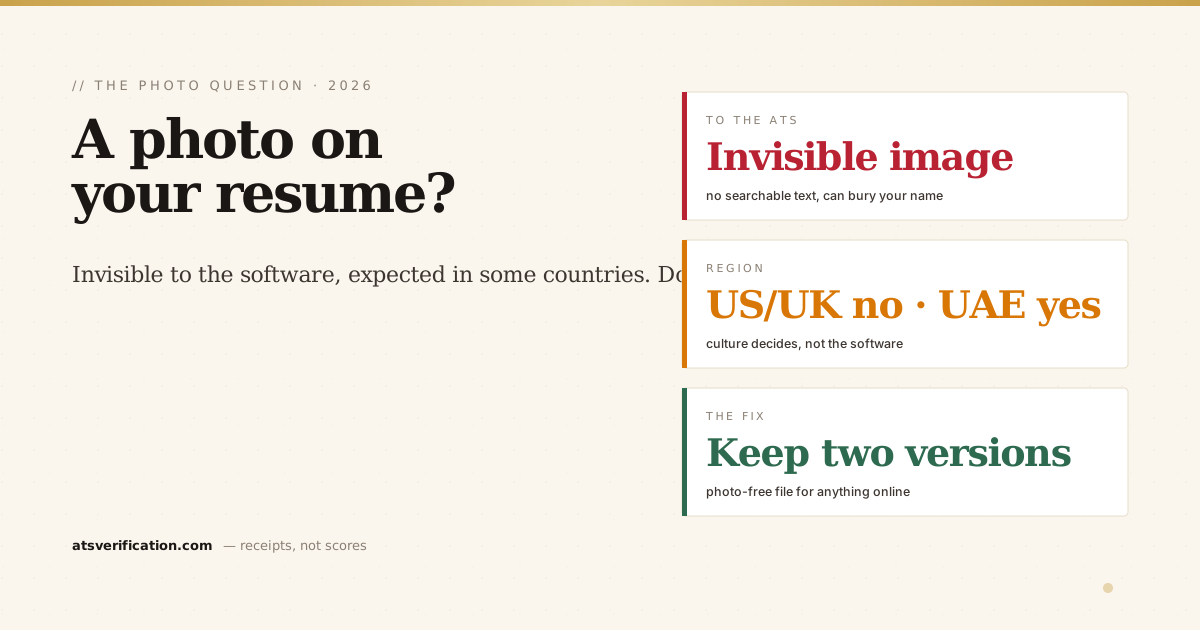
There are really two questions hiding inside "should I put a photo on my resume?" One is about the software: can an ATS even read a resume with a photo, and does the image cause damage? The other is about culture: in your country, do employers expect a photo or frown on it? The answers point in different directions depending on where you're applying, so here's both halves, and how to satisfy them at the same time.
- To an ATS, a photo is invisible. It's an image, not text, the parser can't read anything in it, and it adds zero searchable content to your record.
- Worse, it can hurt the parse. A large image near the top can push your name out of the first-few-lines window where extraction looks for it, one of the ways the ATS loses your name.
- Region decides the culture. The US, UK, Canada, Australia and Ireland say no photo (anti-discrimination norms). Much of Europe, the Middle East including the UAE, and parts of Asia often expect one.
- The two rules can conflict, so split the file. Keep a clean, photo-free version for anything that goes through an ATS, and a photo version only for direct-to-human sending where it's expected.
- If you must include a photo, protect the parse: keep your name as plain text on the very first line, never inside or behind the image.
The machine half: what a photo does to parsing
An applicant tracking system turns your resume into structured text and files it into fields (see what is an ATS and how it reads your resume). A photo is an image, the parser extracts no text from it at all, so at best it's dead weight. At worst it's actively harmful in three ways:
- It can bury your name. Extraction looks for a name in the opening lines. A banner photo, or a name placed beside or under a headshot, can shift the real name out of that window so the parser never anchors it.
- It invites a layout that breaks. Photos usually come with two-column or text-box templates to wrap text around them, and those layouts scramble reading order, exactly as our parsing benchmark found for the two-column case.
- It bloats and complicates the file. Some employer portals flag or downgrade image-heavy files, and a heavier file is more likely to be handled inconsistently.
So on the pure software question, the answer is unambiguous: for anything that passes through an ATS, a photo does nothing good and can do real damage.
The culture half: where a photo is expected
This is where blanket advice fails, because norms are regional:
- No photo: United States, United Kingdom, Canada, Australia, Ireland. Employers there are trained to avoid basing decisions on appearance, and many companies discard or ask to remove photos to reduce discrimination risk, a stance echoed by bodies like the US EEOC's guidance on prohibited practices.
- Photo often expected: Germany, France, and parts of continental Europe; much of the Middle East, including the UAE; and parts of Asia, Africa and Latin America, where a professional headshot is a normal part of a CV.
If you're applying in Dubai or across the Gulf, a photo won't raise eyebrows the way it would in New York or London. But "culturally normal" doesn't mean "safe for the software", the large employers most worth applying to are also the ones most likely to run your CV through a parser first (more in ATS tips for UAE applicants).
The resolution: keep two versions
The two answers only conflict if you force one file to do everything. Don't. Keep two versions of your resume:
- The ATS version, no photo, single column, plain text. Use it for every online application, company careers portal, and job board, everywhere in the world. This is the file that has to survive a parser.
- The human version, photo allowed, if your region expects it. Use it only when you're handing or emailing the resume directly to a person who will look at it themselves, in a market where a headshot is the norm.
Most applications today start with the machine, so the photo-free version is the one you'll use most. The full ATS-friendly format guide covers how to build that clean version.
If you include a photo anyway
Sometimes a market genuinely expects it and you'll submit that file. If so, protect the one field that matters most: put your name as plain text on the very first line of the document, above and separate from the photo, never as part of the image, never in a text box beside it. That keeps the parser's anchor intact even with a headshot present. And avoid the two-column templates photos usually ship with; a photo at the top of a single-column layout is far safer than one embedded in a sidebar.
How to check what survived
Whichever version you send, don't guess whether the parser coped. A free ATS scan shows you the extracted text, you'll see immediately whether your name was still detected with the photo present, whether the layout held, and whether anything got shuffled. If the image cost you your name, you'll know in seconds, and you can move it or drop it before you apply.