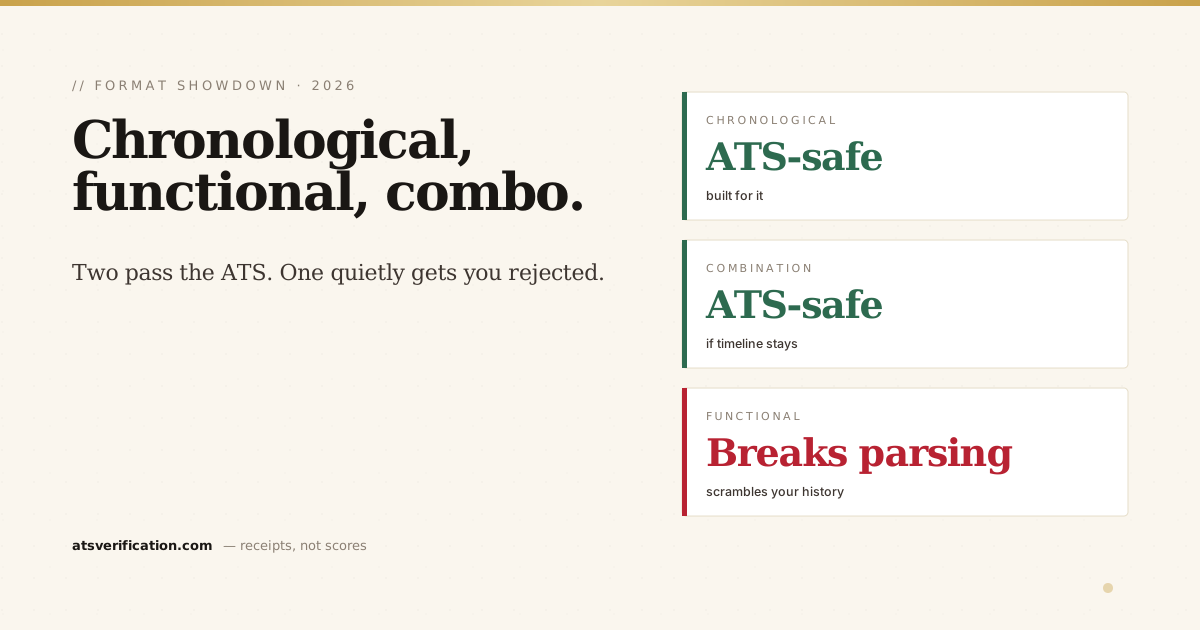
There are three resume formats, and most advice treats them as equal choices of style. They are not. Two of them pass through applicant tracking systems cleanly. One of them, the functional, skills-based format people reach for to hide a gap or a career change, quietly breaks in the parser and gets qualified people rejected before a human ever reads a word. Here is how the three formats really differ in 2026, and which one to actually use.
- Reverse-chronological is the safe default. ATS parsers are built around it, and recruiters expect it. Use this unless you have a strong reason not to.
- The functional format is an ATS trap. By separating skills from the jobs where you used them, it breaks the parser's ability to reconstruct your work history, so your experience comes back scrambled or blank.
- Combination is the safe way to lead with skills. A short skills summary on top, then a normal reverse-chronological history below, keeps the structure the ATS needs.
- Recruiters distrust functional resumes too. Even past the ATS, a skills-only layout reads as "hiding something," so it loses on both fronts.
- The format is invisible to you but decisive for the parser. Always verify how your chosen format actually extracts before you apply.
The three formats, in plain terms
Reverse-chronological. Your work history listed newest job first, each entry showing company, title, dates, and accomplishment bullets. A short summary and a skills list sit at the top. This is what most resumes are and what nearly every recruiter expects.
Functional (skills-based). Instead of a timeline, you group everything under skill headings ("Leadership," "Project Management," "Analysis") with achievements under each, and your actual job list shrinks to a bare line or two at the bottom, sometimes without dates. People use it to mask an employment gap or to pivot during a career change.
Combination (hybrid). A skills or qualifications summary up top, followed by a full reverse-chronological work history below. It lets you lead with relevant skills while keeping the dated timeline intact.
Why the functional format breaks ATS parsing
This is the part the "pick whichever suits you" advice never explains. An ATS parser is built to read a resume the way reverse-chronological resumes are structured: it expects to find a company, a job title, and dates grouped together, then bullets underneath, and it stitches those into your work-history fields (the mechanics are in how ATS scoring works).
The functional format deliberately pulls those apart. Your achievements live under skill headings, disconnected from the job and dates where they happened. So when systems like Workday, Greenhouse or Lever try to build your timeline, they cannot tell which result belongs to which role, or when anything happened. The experience section comes back scrambled, mislabelled, or empty, and a recruiter searching the parsed data simply never finds you. It is one of the most common silent failures we see (see the 10 most common parsing failures).
The irony: the format chosen to hide a gap is the one most likely to bury the whole resume.
Side by side
| Format | ATS-safe? | Best for |
|---|---|---|
| Reverse-chronological | Yes, built for it | Almost everyone; a steady or progressing career history |
| Combination | Yes, if the timeline stays intact | Career changers and skills-led pitches that still keep dated history |
| Functional | No, breaks parsing | Honestly, almost no online application; recruiters distrust it too |
Which one should you use?
For the overwhelming majority of people: reverse-chronological. It parses cleanly, recruiters trust it, and it is what the ATS-friendly format guide and every template that passes ATS is built on.
If you genuinely need to lead with skills, a career pivot, a return to work, a non-linear path, use a combination format, not a functional one. Put a tight skills or qualifications summary at the top, then a normal reverse-chronological history beneath it. You get the skills-forward framing without starving the parser of the structure it needs.
Avoid the pure functional format for any role you apply to online. If you have a gap, address it honestly in a one-line note or your cover letter rather than hiding the timeline, hiding it is exactly what triggers both the parser failure and the recruiter's suspicion.
How to build an ATS-safe combination resume
- Lead with a skills summary. 4-6 lines or a short labelled list of the capabilities the job ad names.
- Keep the full work history. Below the summary, list every role reverse-chronologically with company, title, location and MM/YYYY dates.
- Tie achievements to roles. Put your accomplishment bullets under the actual job where they happened, not under a floating skill heading.
- Single column, standard headings. No tables or text boxes around the skills block, those reintroduce the parsing problem you were avoiding.
- Verify the parse. Confirm the experience section still extracts with dates and titles intact.
See which format your resume really is, to the parser
Your format looks one way to you and can read completely differently to the software. Run a free scan and see exactly what an ATS extracts from your resume, whether your job titles, dates and skills land in the right fields, or come back scrambled. If you are weighing tools, here is what makes the best ATS resume checker, and you can pair the scan with the 7-point ATS-friendly self-check.
Whichever format you pick, label its sections with headings the parser recognizes, the safe list is in ATS resume section headings.
Whichever order you choose, the mechanics of each job block matter as much as the format: how to write the work experience section covers titles, employers, dates and multiple roles at one company.
→ Free ATS scan, see whether your format parses or scrambles