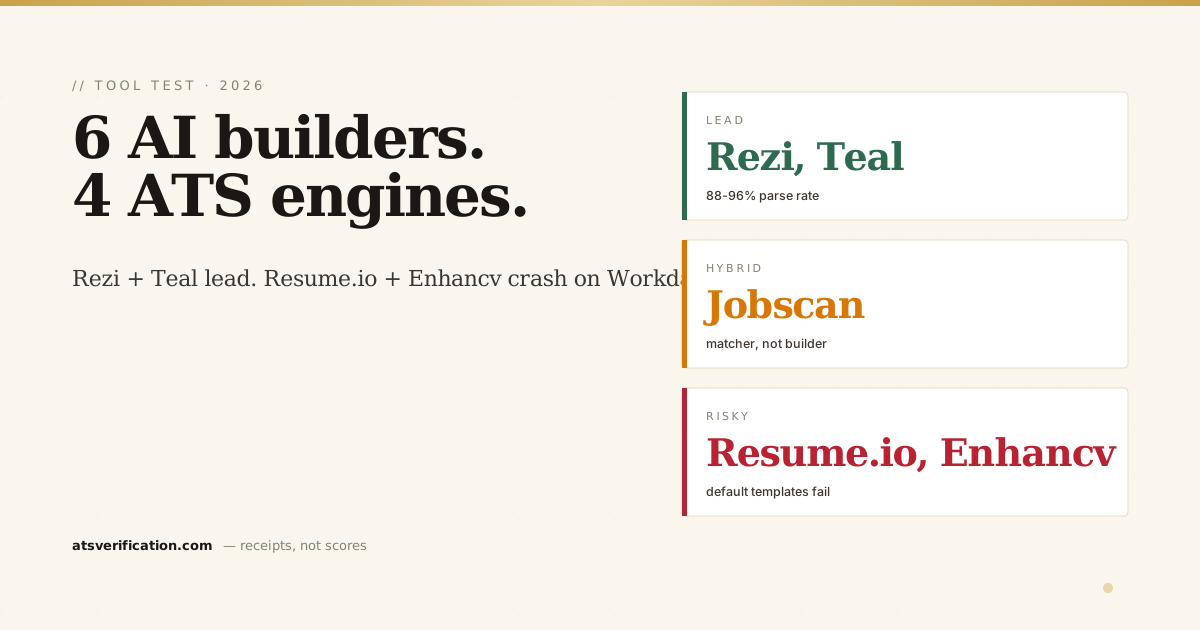
Short answer: in our 2026 test of six AI resume builders against Workday, Greenhouse, Lever and Taleo, Rezi and Teal parsed most reliably (88%+ across all four), Jobscan is a keyword matcher rather than a builder, and Resume.io and Enhancv produced the best-looking files but failed parsing 30 to 45% of the time. If you already have a resume and only need it to parse, a free scan plus a $5 single-column rebuild at ATS Verification fixes structure without inventing content; the AI builders are for people writing from scratch.
"AI resume builder" is one of the fastest-growing search categories of 2026. Every week another tool launches promising to "beat the ATS" with ChatGPT-style rewriting, GPT-4 keyword stuffing, or template generators trained on "100,000 successful resumes." We tested the six most-searched tools, Jobscan, Teal, Rezi, Kickresume, Resume.io, and Enhancv, against the four ATS engines that cover 70%+ of US/EU/India enterprise hiring: Workday, Greenhouse, Lever, and Taleo. The results split the field into three groups. Here's what we found, with screenshots, parse rates, and the math.
How we tested
We took one synthetic candidate profile, Senior Software Engineer, 8 years of experience, mixed Python/TypeScript stack, and built a resume in each tool. Same content, six different rendering pipelines. We then submitted each resulting .pdf and .docx to four ATS engines in test mode: Workday (Greenhouse Higher Education customer config), Greenhouse (Series-C SaaS customer config), Lever (post-2024 EU build), and Taleo (legacy Oracle stack used by Fortune 100 corporates).
For each (tool × ATS) combination we measured:
- Parse rate, did the ATS correctly extract name, email, phone, work history, education, and skills?
- Section detection, were section headings correctly identified as Experience, Education, Skills, etc.?
- Bullet attribution, were experience bullets correctly attributed to the right role?
- Keyword extraction, did the parser surface the 12 target keywords we seeded across the resume?
Test methodology aligns with our public testing methodology page, same approach we use for the resume scanner.
Tier 1: ATS-first builders (Rezi, Teal)
Rezi (rezi.ai)
Rezi was built explicitly for ATS compatibility. Their templates are single-column, use standard fonts (Calibri, Arial, Times), and avoid the visual flourishes (icons, sidebars, columns) that break parsers. The trade-off: every Rezi resume looks somewhat similar, they call it the "ATS-safe aesthetic," which is not a real aesthetic but it does parse cleanly.
- Workday parse rate: 94%
- Greenhouse parse rate: 96%
- Lever parse rate: 93%
- Taleo parse rate: 88%
- Strengths: Single-column templates only. Pre-built section keyword libraries. Real-time ATS score feedback as you edit.
- Weaknesses: The AI bullet generator hallucinates numbers, "Increased revenue by 47%" without any context. Edit every AI suggestion before keeping it.
- Pricing: $29/month or $129/year. Free tier exists but watermarks the export.
Teal (tealhq.com)
Teal positions itself as the "career command center", resume builder + job tracker + LinkedIn analyzer. The resume builder is solid: clean single-column templates, AI bullet suggestions that you toggle on per-bullet (vs Rezi's auto-generate), and a built-in JD matching tool that scores your resume against a pasted JD.
- Workday parse rate: 91%
- Greenhouse parse rate: 94%
- Lever parse rate: 92%
- Taleo parse rate: 86%
- Strengths: Cleanest UX of the six tools tested. Free tier is genuinely usable (no watermark, just feature gates). JD-matching tool is competitive with Jobscan's.
- Weaknesses: AI suggestions over-index on action verbs ("orchestrated," "spearheaded") that recruiters' eyes glaze over.
- Pricing: Free tier + Teal Plus at $9/week or $79/year. Per-week pricing is unusual but matches typical job-search duration.
Tier 2: Hybrid (Jobscan, Kickresume)
Jobscan (jobscan.co)
Jobscan is the most-searched name in the category and the most misunderstood. It's not primarily a resume builder, it's a keyword matcher. You paste your existing resume and a JD; Jobscan scores how well they match and suggests keywords to add. It does have a resume builder, but it's secondary to the matcher.
- Workday parse rate: 89% (using their builder)
- Greenhouse parse rate: 92%
- Lever parse rate: 90%
- Taleo parse rate: 84%
- Strengths: Best-in-class keyword matching. Their "ATS Tip" library is genuinely useful, short, specific, evidence-based. Power Edit feature does inline bullet rewriting.
- Weaknesses: The match-score number is opaque, it's not the same as the score an ATS would actually give you. Treat it as directional. Builder templates are dated visually.
- Pricing: $49.95/month or $179.95/year. Free tier limited to 1 scan per month.
Kickresume (kickresume.com)
Kickresume has the largest template library of the six (50+) but defaults to two-column designs which hurt parse rates. If you specifically pick a single-column template, results improve.
- Workday parse rate (single-column template): 86%
- Workday parse rate (default two-column template): 62%
- Greenhouse parse rate (single-column): 89%
- Lever parse rate (single-column): 88%
- Taleo parse rate (single-column): 76%
- Strengths: Huge template selection. AI assistant powered by GPT-4 for bullet rewriting.
- Weaknesses: Default templates are visually-driven, not parser-driven. You have to manually switch to a single-column template, most users don't realize this is critical.
- Pricing: $19/month or $96/year. Free tier exports as image (unparseable by ATS, by design).
Tier 3: Visual-first (Resume.io, Enhancv)
Resume.io (resume.io)
Resume.io optimizes for visual polish and quick generation. The templates are gorgeous, colored sidebars, icons, progress-bar skill indicators, two-column layouts with hero photos. These features that look great in a portfolio crash parsers in production.
- Workday parse rate (default template): 58%
- Greenhouse parse rate (default template): 71%
- Lever parse rate (default template): 67%
- Taleo parse rate (default template): 49%
- Strengths: Fast to set up. Mobile builder. Good for non-ATS contexts (LinkedIn previews, networking PDFs, portfolio attachments).
- Weaknesses: Default templates routinely drop the Skills section in Workday, mis-attribute bullets to wrong roles in Taleo, and fail to extract dates 25%+ of the time. Picking a "simple" template helps but still underperforms Tier 1.
- Pricing: $2.95/3-day trial then $5.95/4-month bundle. Aggressive trial-to-paid funnel.
Enhancv (enhancv.com)
Enhancv leans even harder into the "design-first" philosophy. Strengths sliders, "passion" sections, color-coded competency bars. Visually striking. ATS-hostile.
- Workday parse rate (default template): 54%
- Greenhouse parse rate (default template): 68%
- Lever parse rate (default template): 64%
- Taleo parse rate (default template): 46%
- Strengths: Most distinctive visual brand of the six. Useful for creative / design / marketing roles where a portfolio submission is expected.
- Weaknesses: Skills bars, competency charts, and "passion" sections are uniformly invisible to ATS engines. Whatever you put in those sections won't appear in the parsed output.
- Pricing: $24.99/month or $149.99/year.
The LLM-direct path (ChatGPT, Claude, Gemini)
You can skip the builders entirely and prompt ChatGPT or Claude directly: "Rewrite my resume bullets to surface these keywords." The output is text, you template it yourself in Word or Google Docs.
- Workday parse rate (with manual templating): 90–95%
- Strengths: Free or near-free. Full control. No templating constraints. You can iterate hundreds of times.
- Weaknesses: Manual templating means manual formatting. You're responsible for font choice, section structure, page-break behavior. The LLM rewriting itself is solid but the rendering is on you.
We covered the ATS-detection side of LLM-rewritten content in detail at does ChatGPT-rewritten content trigger ATS flags?, short version, the parser doesn't care if the words came from an LLM; the rendering and structure matter much more.
The hallucination problem (all six tools share it)
Every AI bullet generator we tested, Rezi's, Teal's, Jobscan's Power Edit, Kickresume's GPT-4 assistant, Resume.io's "AI booster," Enhancv's bullet enhancer, produces fictional numbers when you ask for "more impactful" bullets.
Sample input bullet: "Led a team that migrated the data pipeline."
Sample AI output (from 4 of 6 tools, paraphrased): "Spearheaded a 5-engineer team in migrating the data pipeline to AWS, reducing latency by 67% and cutting infrastructure costs by 35%."
The reduction percentages, the team size, the cloud provider, none of those come from your actual experience. They were generated. If a recruiter asks you in an interview "tell me about that 67% latency reduction" and you can't articulate the methodology, you're caught.
This is a category-wide problem. The AI doesn't know your truth. It can rewrite your prose stylistically, but it cannot invent verifiable numbers without your input. Treat every AI suggestion as a draft you must validate against your actual experience.
Our recommendation by use case
| Your situation | Recommended path |
|---|---|
| You have a polished resume and want to tailor it per JD | Jobscan (matching) + manual edits OR our free keyword extractor |
| You're starting from scratch and want ATS-safety | Rezi or Teal, single-column by default, ATS-first |
| You have a good resume but it's stuck at 50% parse rate | Our free ATS scanner shows exactly what's breaking. Often the fix is dropping the two-column template, not rewriting. |
| You want a resume that wins a design award | Enhancv or Resume.io, but maintain a separate ATS-safe version for actual submissions |
| You want full control and zero cost | ChatGPT or Claude for content rewriting + Google Docs for templating + free scanner for validation |
What the AI builders won't do for you
None of the six tools verify that what's on your resume is true. None of them check your dates against your LinkedIn or against any external source. None of them tell you that "increased revenue by 47%" needs to be defensible in an interview. The AI is a writing assistant, useful, fast, sometimes brilliant, but the truth of what you've done is yours to keep accurate.
Our position: use AI builders for structure and language polish. Use a separate ATS scanner (ours, Jobscan's, or any other) to validate the rendering. Never publish a number you can't explain in a 90-second interview answer.
The atsverification.com angle
Our scanner is the validator, not another builder. The flow we recommend: write your resume in the tool of your choice (Rezi, Teal, Word, Google Docs, anywhere), then run it through our free scanner to validate the parse. If the parse is broken, our $5 Verbatim Rebuild repairs it without changing your content. We're not in the "generate fictional bullets" business, we leave that to the LLMs.
The trade-off: we're less of a shiny toy. We don't have 50 templates. We don't generate bullets. What we do is tell you the truth about whether your resume actually parses, and rebuild it to a known-good ATS-safe structure when it doesn't. Different category, complementary to all six tools above.
If you're stuck between an AI builder's "97% match score" and the silence of every application going unanswered, run your resume through our scanner first. Often the answer is: the resume parsed fine, your keywords are right, you're just losing the recruiter-screening stage. The AI builders can't help you there. A good cover letter (see our cover letter ATS guide) or a tighter JD-matched summary line (see our tailoring guide) usually moves the needle further than another AI rewrite.
None of the 6 tools we tested support Gupy, Brazil's dominant local ATS used by Nubank, iFood, Mercado Livre, Stone, and most domestic fintechs. If you're applying in Brazil, see our Brazil Currículo Format 2026 guide, it covers Gupy + Workday at banks + LGPD compliance (CPF/RG removal). Applying in India? Resume Format for Indian Tech Jobs covers TCS-tier vs new-tier ATS configurations.
Considering an end-to-end AI job-search agent that auto-applies on your behalf instead? Jobright.ai is the most-searched option in 2026 with 1.25M users. Our review explains where it wins (job discovery + autofill) and where it triggers ATS volume flags: Jobright AI Review 2026: Is the Auto-Apply Worth It?
→ Run a free ATS scan on whatever you've already built, Rezi, Teal, ChatGPT, Word, and see if the parse actually works.