Every job seeker pictures the same thing: a recruiter opens a role, an applicant tracking system ranks everyone by a secret score out of 100, and the top few get calls. That picture is mostly wrong. Here is what recruiters actually see when they open Workday, Greenhouse, Lever or Ashby with hundreds of applicants in the pile, and what it means for how you should build and submit your resume.
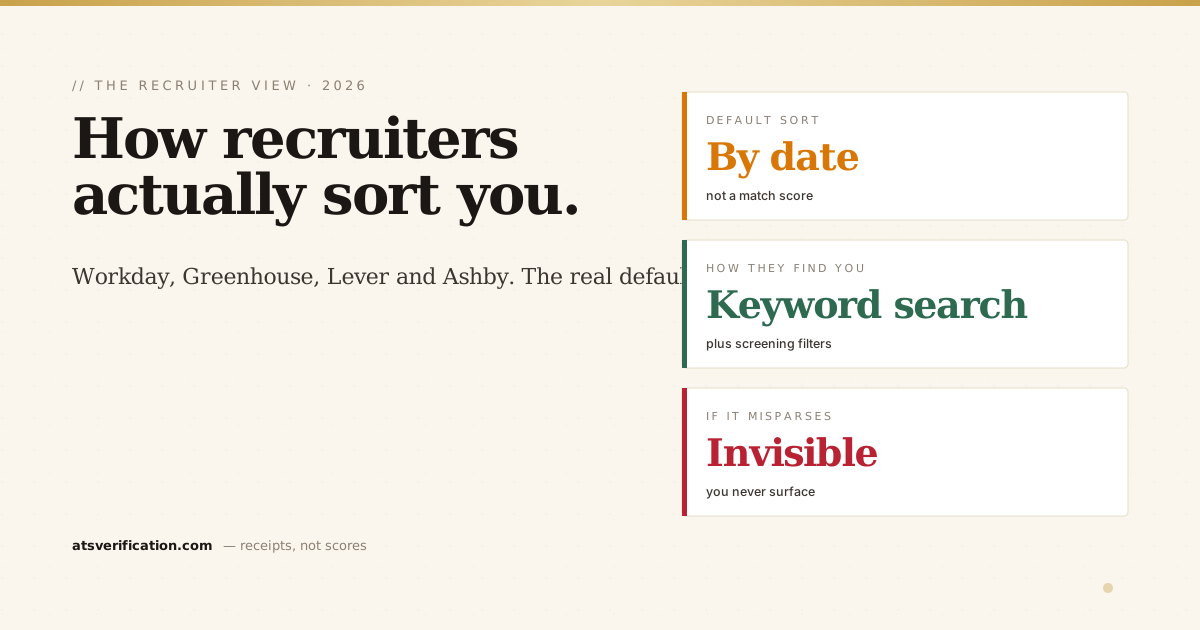
- The default view is by date, not by score. In most setups the list opens with newest or oldest applicants first, grouped by pipeline stage. There is no universal "match score" ranking the recruiter stares at.
- Recruiters search, they do not just scroll. The real action is keyword search and filters. They type the skills and titles they need, and only matching resumes surface.
- Screening questions do the first cut. Knockout questions (work authorization, minimum years, location) filter the pile before a human reads a single resume.
- Applying early helps a little. Many roles are reviewed as they arrive and some close early once enough strong people apply. But a good match can still be pulled up later through search.
- If your resume does not parse, none of this saves you. If the system reads your title or skills wrong, you never appear in the recruiter's search, no matter how qualified you are.
The short answer: by date, then by search
Across Workday, Greenhouse, Lever and Ashby, the default candidate list is organised by application date and pipeline stage, not by a hidden ranking number. When a recruiter opens a job, they see a list (newest or oldest first, depending on configuration) split into stages like Applied, Screen, Interview, Offer.
What they do next is the part most guides miss. They do not read every resume top to bottom. They search and filter. They type the must-have skills or job titles into the search box, apply filters for location or experience, and review the much smaller set that comes back. This is closer to how the system actually behaves than the "ranked by score" story, and it is why your resume needs to be findable, not just good. (For the mechanics underneath the search box, see how ATS scoring actually works.)
The default view in each ATS
| ATS | Default recruiter view | Is there an automatic score? |
|---|---|---|
| Workday | Candidate list by stage and date; columns are sortable | No headline score by default. Has skills-matching features, but recruiters mostly filter and search |
| Greenhouse | Pipeline by stage, newest applications first | No. Greenhouse deliberately does not auto-rank or auto-reject by a score |
| Lever | Pipeline by stage and date; strong search and tagging | No automatic ranking score shown by default |
| Ashby | Highly customisable; recruiters build their own sorted, filtered views | Has analytics and optional scoring, but the recruiter controls the view |
Notice the pattern. None of them open to a "candidate #1 through #400 by match score" leaderboard. That number you see on consumer "ATS score checker" sites is generated by that site, not by the system the recruiter is using. We break that down in the ATS myths every job seeker still believes.
Can recruiters change the sort order?
Yes, easily, in all four. Recruiters routinely flip between date, stage, source, and their own saved filters. Many sort by recruiter activity (who they have already moved forward or tagged) so they can pick up where they left off. The takeaway: there is no single fixed order your resume is "stuck" in. Different recruiters review the same pile in different ways on the same day.
How recruiters actually review a big pile
When a role has hundreds of applicants, here is the realistic sequence:
- Knockout questions first. The application form asks screening questions, work authorisation, minimum years of experience, location, sometimes a salary range. Candidates who fail these are filtered out before any resume is read. This is the biggest silent cut.
- Keyword search next. The recruiter searches the remaining pile for the few skills or titles that define the role. Only resumes containing those terms surface. If the words are not in your resume (or the parser did not read them), you are invisible here.
- Fast human scan last. The shortlist that survives gets a real human read, usually a few seconds each. This is where quantified results and a clean layout win, the same way they do in quantified achievement bullets.
So your resume passes through a filter, then a search, then a glance. A "high score" on some external tool helps with none of these three steps.
Does applying early actually help?
A little, and it is worth doing, but not for the reason people think. Many roles are reviewed on a rolling basis as applications arrive, and a chunk of postings close early once the recruiter has enough strong candidates. So applying in the first day or two means you are in the pile while it is still being actively worked.
But early is not a magic advantage. A strong match can still be surfaced days later through a keyword search, and a weak match that applied at minute one still gets filtered by the knockout questions. Apply early when you can, but do not panic if you are not first. Spend the saved energy making sure you actually show up in the search.
The part that decides everything: can the system read you?
Here is the throughline. Whether the recruiter sorts by date, by stage, or by their own filter, the moment they search for "financial analyst" or "Kubernetes" or "ASC 606", the system looks at the parsed text it pulled from your resume, not the pretty PDF you designed. If the parser scrambled your job title, dropped your skills section because it was in a table, or merged two columns into nonsense, you will not appear in that search. The recruiter never rejected you. They simply never saw you.
This is why a clean, single-column, parser-safe layout beats a designer template every time. The most common breakers are well documented, see the 10 most common ATS parsing failures and how Greenhouse and Workday differ when they parse. And it is why the only check that matters is not a score, but what the system actually extracts. Our 7-point ATS-friendly self-check walks through it, and the foundational explainer what an ATS is and how it reads your resume covers the parsing step in depth.
What to do with this
Stop chasing a number and start making yourself findable:
- Answer screening questions carefully and honestly. They are the first and harshest filter.
- Mirror the posting's exact words in your title line, summary and skills, because recruiters search for those terms. Do it without stuffing, the method is in tailoring to the job description, and the free ATS keyword extractor pulls the exact terms a posting weights.
- Use a clean single-column layout so the parser reads every field correctly.
- Apply early when you can, then move on to the next role.
- Verify the parse before you apply so you know your titles, dates and skills land in the recruiter's search.
If your resume keeps disappearing into the void, the cause is usually one of these, not your qualifications, the same pattern behind why a good resume gets no interviews. Applying through the biggest US job board? See how the hand-off works in does Indeed use an ATS.
See what the recruiter's system pulls from your resume
Before you apply to your next role, check the layer the recruiter's search actually reads. Run a free scan and see exactly what an ATS extracts from your resume, name, titles, dates, skills, field by field, with no made-up score attached.
Recruiters increasingly get an AI-written summary of each resume next to the search results. See how AI resume screening works in 2026 and what it means for how you write.
→ Free ATS scan, see your resume the way a recruiter's system sees it