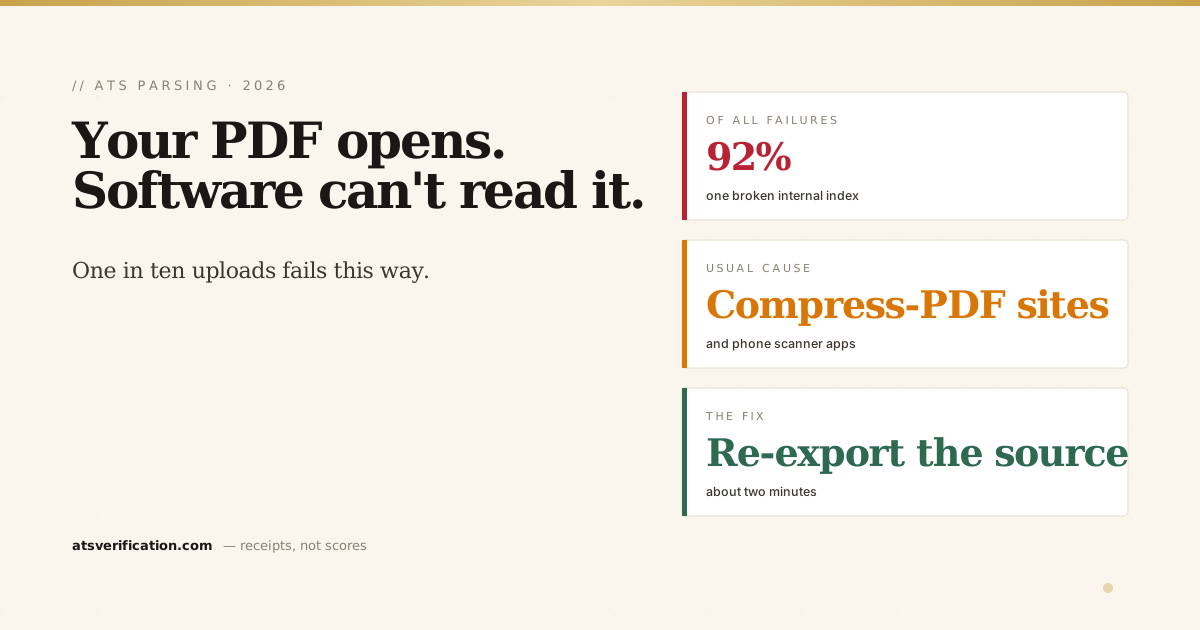
Last week I looked at the failure log for our own scanner and found something I did not expect. About one in every ten people who uploaded a resume got an error instead of a result. Not a bad score. An error. Their file went in and nothing came back. When I looked at what those files had in common, the answer was not what most advice on the internet would tell you, and it is worth writing down because the same thing happens on real job portals.
- A PDF can open perfectly on your phone and still be unreadable to software. The damage is in a part of the file you never see.
- The usual culprits are helpful tools: phone scanner apps, free "compress PDF" websites, and some online converters.
- The fix takes two minutes: open the file and export a fresh PDF from a real editor, or send the Word document instead.
- If a portal rejects your file with no explanation, this is one of the likeliest reasons, and you will never be told.
- A photograph of a resume is not a resume. It contains no text at all, whatever the file extension says.
What I actually found
Over one week, 80 people uploaded a file to our scanner and got a failure. What made me sit up was the second number: those 80 people generated 208 failures between them. That is 2.6 attempts each. They tried, it failed, they tried again, it failed again, and then they left. Nobody retries a third time out of optimism.
Two errors accounted for 92% of it. In plain English, both mean the same thing: the software opened the file, went looking for the index that tells it where everything is, and found that index was wrong.
The geography told me the rest of the story. The failures were concentrated in India, Pakistan, Egypt and Algeria. That pattern is not about those countries producing worse resumes. It is about which tools are popular there for getting a document onto a phone and into an application form.
The part of a PDF you have never thought about
A PDF is not one continuous document the way a Word file is. It is a collection of numbered objects, the text, the fonts, the images, the page definitions, plus a small table at the end that records the exact byte position of each object. That table is called the cross-reference table, and it is how software finds anything inside the file.
When a program rewrites a PDF, it has to rebuild that table. If it does the rewriting carelessly, the objects move but the table still points at the old positions. The file now describes itself incorrectly.
Here is why this is so easy to miss: your PDF reader does not care. Adobe Reader, Preview on a Mac, Chrome, your phone's built in viewer, all of them contain recovery code that quietly ignores a broken table and scans the whole file to find the objects itself. So the document looks perfect to you. It opens, it prints, it looks exactly right. Meanwhile stricter software, which includes a good deal of the parsing code used in hiring systems, reads the table, finds nonsense, and gives up.
You cannot see this problem by looking. That is the entire trap.
Which tools cause it
In rough order of how often I see it:
- Phone scanner apps. CamScanner, Adobe Scan, Microsoft Lens and similar. These are genuinely useful for documents, and they produce PDFs that are often image-only, structurally unusual, or both.
- Free "compress PDF" and "merge PDF" websites. You upload a file, it comes back smaller, and something in the middle rewrote it badly. This is the most common single cause I see, because the advice to shrink a file below an upload limit sends people straight to these sites.
- Online format converters. Word to PDF services, especially the ones wrapped in advertising.
- Editing a PDF directly in a lightweight editor rather than editing the source document and exporting again.
- Very old software writing PDFs to a specification from a different decade.
Notice what these have in common. Every one of them is a step somebody took to be helpful: to get the file smaller, to change its format, to fix a typo without the original. The problem is almost never the person's carelessness. It is a tool doing a rough job invisibly.
The fix, which takes about two minutes
Do not try to repair the broken PDF. Produce a clean one from the source.
- Go back to the original document, the Word file or Google Doc you actually wrote.
- Export a fresh PDF from that editor. In Word, use File then Save As and choose PDF, following Microsoft's own instructions. In Google Docs, use File then Download then PDF Document, which Google documents here. Both produce structurally sound files.
- Do not run it through a compressor afterwards. If the file is too large, fix the cause instead: remove photographs, remove the headshot, and avoid embedding decorative graphics. A text-only two page resume should land around 100 KB, comfortably inside any limit.
If you no longer have the original document, you have two options. Open the PDF in Word, which will convert it to an editable document, check the formatting carefully because conversion moves things, then export a new PDF. Or retype it into a clean template, which sounds worse than it is and usually improves the resume.
When a posting accepts either format, I would send the Word file. Not because PDFs are bad, but because a .docx cannot suffer from this particular failure at all. There is more on that trade-off in PDF versus Word for ATS, and if you need a file that is clean from the start, our free Word templates export correctly every time.
The other kind of unreadable file
There is a second problem that produces the same silence, and it is worse because it is invisible in a different way. If you photographed your resume, or scanned a printed copy, the PDF contains a picture of words rather than words. Software finds no text in it whatsoever. Not scrambled text. None.
The check takes five seconds: open the PDF and try to select a sentence with your cursor. If you can highlight individual words, there is real text in there. If your cursor draws a box over the whole page like an image, that file is a photograph, and no applicant tracking system can read a single word of it. I have written about why in can an ATS read PDFs, and the scanned-file case has its own full guide, including the sneaky garbage-text-layer variant the cursor test misses.
How to tell whether it is happening to you
The frustrating part is that job portals rarely tell you. Some show a generic upload error. Others accept the file and store an empty record, which looks like success from your side and looks like an empty application from theirs. That silence is exactly what makes this worth checking before you apply rather than after.
Two ways to check, both free:
The manual one. Open your PDF, select all, copy, and paste into a blank text file or an email draft. If you get your name, your dates and your bullets as readable text in a sensible order, the file has real text and a working structure. If you get nothing, or a jumble, you have found your problem.
The one that shows you more. Our free scan extracts the file the way parsing software does and shows you the result next to your original, including whether the structure is sound. You can see the aggregate picture of what breaks across every file people upload on our live ATS data report. The scan is free, no signup, and after last week I made sure it now repairs the broken cross-reference table itself rather than refusing the file, because turning away a person whose resume happens to have been through a compressor helps nobody.
Why I am writing this at all
I fixed the failure in our own scanner the same day I found it. What I cannot fix is the same thing happening on a company's career portal, where the person on the other end sees an empty application and moves on, and where nobody sends you an email explaining that your cross-reference table is wrong.
If you want the wider checklist rather than just this one failure, how to check if your resume is ATS friendly walks through the rest, and how to write a resume puts the formatting rules in the order that actually matters.
So the practical advice is dull and worth following. Keep the source document. Export a fresh PDF from it for each application. Never run a resume through a free compressor. And check the extracted text once, before you send it anywhere, because that check costs you a minute and the alternative costs you an application you will never know you lost.