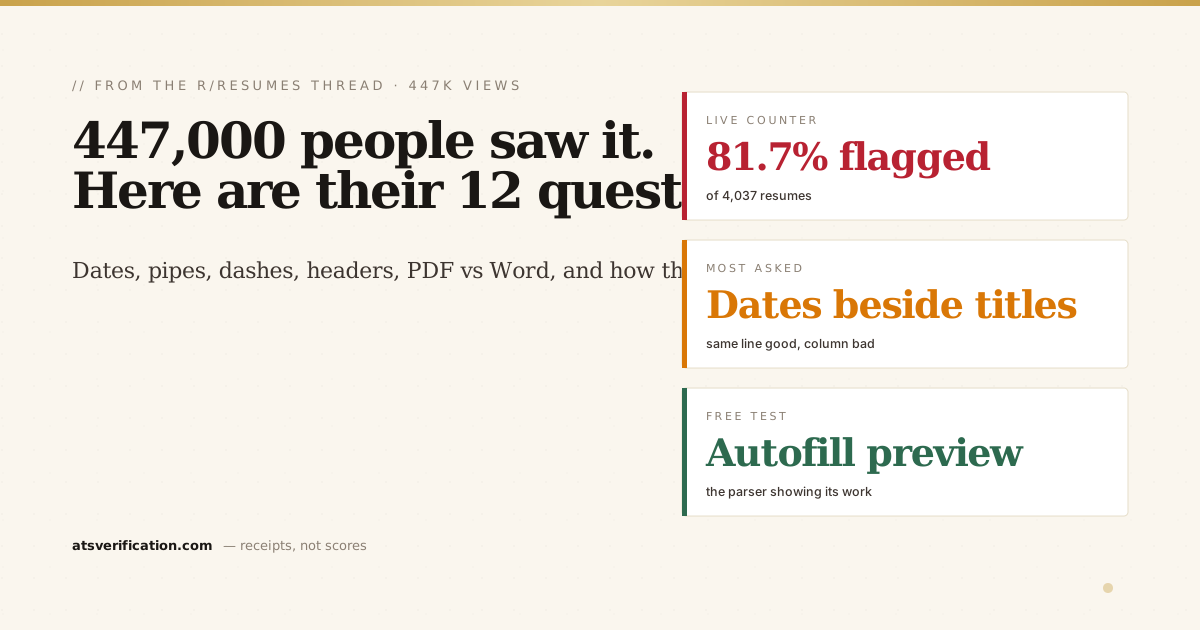
On Saturday I posted seventeen days of parsing data to r/resumes: 3,835 files, 81 percent with at least one problem the software could see and the candidate could not. By Sunday it had 1,100 upvotes, 447,000 views and 177 comments, most of them questions. I answered them one by one in the thread. This is the cleaned-up version, in the order people asked, with the live numbers as they stand today. I run the parser, so weigh everything accordingly, but every figure below sits on a public page that updates with each scan.
- The counter now reads 4,037 resumes and 81.7 percent with at least one parsing issue. Skills flattened into one word 41.6 percent, name not detected 25.8, em dashes glued to words 18.9, icon bullets 17.4, two-column scramble 11.4.
- Most questions were about things that look fine on screen: dates in a side column, a name in the Word header, a pipe that is actually a drawn line, an em dash with no spaces.
- The rule under every answer is the same. One column, plain text, standard headings, and check the text layer before you apply.
- The free test costs nothing: copy the PDF into Notepad, or read the autofill preview on any Workday or Greenhouse application before you submit. That preview is the parser showing you its work.
1. "How do you know your tool matches the commercial parsers?"
The fairest question in the thread and the one I most wanted to answer. The honest scope is text extraction, not scoring. Every applicant tracking system starts the same way: turn the file into text, then try to label the pieces. I measure that first step, using the same class of extraction libraries the commercial products are built on. I check it the cheap way: upload the same files into live Workday and Greenhouse application forms and compare what their autofill preview pulls out. When my extraction says the skills came out glued together, theirs does too. That is the calibration, and it is the part I am confident about. What I do not claim is to replicate any vendor's ranking or matching. Those are proprietary and they differ. The post was only about whether the text survives, because if it does not, nothing downstream matters. The full method is on the methodology page.
2. "Isn't this the parser's fault, not the applicant's?"
Yes. Several people made this point, one of them a compiler writer, and I agree with all of them. The software is crude, the rules are unpublished, and the person who loses is the one who never finds out why. I would add one thing. The hard failures are not a junior-programmer problem, they are a format problem. A PDF has no grammar to parse. It is a list of draw instructions: put this glyph at this x and y. There is no "column", no "heading", no "this date belongs to that job". Every parser reconstructs that from coordinates, which is a heuristic problem, and the heuristics break on the same clever layouts in every engine I have tested. Tagged PDF was supposed to fix this, and when a file is properly tagged the good parsers do use it. Almost nobody exports tagged files. So the parsers should improve, and until they do, the applicant is the only person who can change the outcome. That is who the post was for.
3. "Dates on the side of each role, is that a second column?"
It depends on how it is built, not how it looks. If the date sits on the same line as the job title, right-aligned with a tab stop, it is still one line of text. The parser reads "Senior Analyst 2021 to 2023" and keeps them together. If the dates live in a separate narrow column, a two-column table with dates on the left and the job on the right, that is the version that breaks: the parser reads the whole date column first, then the whole job column, and every date detaches from its role. The test is the same as always. Select all, copy, paste into Notepad. If each date still sits next to its job title, you are safe. The date format guide has the patterns that survive.
4. "Multiple positions at one company, how do I structure that?"
Company on its own line with the overall range, then each title on its own line with its own dates, then that title's bullets:
Company Name, City, Jan 2024 to Present
Title 1, Feb 2026 to Present
  bullets
Title 2, Oct 2025 to Jan 2026
  bullets
Title 3, Jan 2024 to Sep 2025
  bullets
Two rules. Every title line needs its own dates, because that is what the parser uses to recognise a new role. And nothing goes in a side column, one line per item, top to bottom. Some parsers will read it as three jobs at the same company, some as one job with three titles; both are fine for search and for a human. Give the current role most of the bullets and let the earlier titles have a line or two each. The promotion story is worth more than the space.
5. "Are pipes okay as separators?"
Pipes are fine. They are an ordinary keyboard character, every parser treats them as a separator, and "Python | SQL | Tableau" comes out as three searchable words. Same on a title line: "Senior Analyst | Dubai | 2021 to 2024". One catch: it has to be a typed pipe. Some templates draw a vertical line as a table border or a shape, which looks identical on screen and extracts as nothing, with the words on either side glued together. Typed pipe good, drawn line bad.
6. "Hyphens are not em dashes. Are en dashes a problem? Does spacing matter?"
A typographer pushed back on the hyphen advice and she was right. I am not giving typography advice, I am giving search advice, and the actual failure is not deletion. Some pipelines mis-decode the character, so "Finance—Operations" comes out as "Financeâ€"Operations" and neither word is searchable. Others tokenize the dash as part of the word, so both words become one token. The space is the whole fix. "Finance — Operations" tokenizes as three pieces and both words are found. Em or en, same behaviour, and you keep your typography. The "use a hyphen" line in the post is the lazy version for people who will not remember the spaces. Em dashes glued to words are in 18.9 percent of the files I see, which is why it made the list at all.
7. "Word doc or PDF?"
PDF, with one condition: export it from Word with Save As PDF or Export, not through a print-to-PDF driver and never via scanning. Export keeps a real text layer; some print drivers turn text into outlines and you get a picture, not a resume. DOCX actually parses slightly better in theory, because it is structured text underneath. The risk is that it opens differently on the recruiter's machine: fonts substitute, layout shifts, and your tracked changes and comments come along if you forgot to clear them. PDF looks the same everywhere. So PDF by default, DOCX only if the posting asks for it. The longer version is in PDF vs Word for ATS.
8. "Can I upload Markdown? Or plain text?"
Almost no system accepts a .md upload; the box usually takes PDF and DOCX, sometimes TXT or RTF. Writing in Markdown is a good idea, because it forces you into plain text and a single column, but export it before you apply. Pandoc to DOCX is the cleanest. Plain TXT will parse perfectly, it is the one format that cannot go wrong on extraction, but the parser is not the only reader. Most systems attach your original file to your profile and the recruiter opens that, and a raw .txt in Notepad, with "## Experience" and asterisks everywhere, looks like you could not be bothered. DOCX gives you both.
9. "I use two columns with a reading order set in InDesign. Callbacks went up."
That is the one legitimate way to do two columns, and it works for the reason you would expect: InDesign's Articles panel writes a tagged reading order into the PDF, and parsers that honour tags follow it instead of sweeping across the page. Two caveats for anyone tempted to copy the idea. It only survives if the file stays tagged; re-saving through a compressor, a print-to-PDF or a DOCX conversion strips it and you are back to the scramble. And not every parser honours tags. So it is a real fix for someone who knows what they are doing, and a trap for someone copying it in Canva. For everyone else, the two-column answer stands.
10. "Names? Really? Software can't find a name?"
Basic for a human, not for a parser. The parser does not know what a name looks like. It guesses from position: the first big line of text in the body. Anything that moves the name out of the body breaks the guess. The three ways it happens: name in the Word header region, which several extractors skip entirely; name inside a text box, which extracts after the body or not at all; name as part of a logo or image. One commenter had his name and contact details in the Word header for fifteen years because it repeated neatly on page two. Looked right, converted right, vanished in the parser. It is 25.8 percent of files because the Word header is where Word's own templates put your name. More in do ATS read headers and footers.
11. "Is a four-line Core Competencies list okay? Bold, caps, divider lines?"
Bold, italics and capitalisation do not affect extraction at all. They are styling on top of the same characters; the parser just sees the letters. Divider lines drawn as shapes are invisible to the parser, which is fine. Lines made by typing underscores extract as a row of junk, usually harmless but pointless. "Core Competencies" is recognised by most parsers as a skills section; "Skills" is slightly safer because every parser knows it. Four lines is fine as long as each line is ordinary text with the separators typed between items, not a grid. Paste it into Notepad: "Budgeting • Forecasting • Reporting" is good, "BudgetingForecastingReporting" means it is a table, and that is the 41.6 percent problem, the single most common failure in the data. The skills section guide has the formats that work.
12. "My email loses its first two letters in some systems. Why?"
My favourite puzzle of the thread. If the email starts with "fi", "fl", "ff" or "ft", a lot of fonts merge those two letters into a single ligature glyph when Word exports to PDF. Some parsers read that glyph as one unknown character, the email matcher refuses to start on it and begins at the next letter, and "fiyyyy@gmail.com" becomes "yyyy@gmail.com", only in some systems, and the same two letters vanish from the website address. Fix in Word: select the contact line, Font, Advanced, Ligatures: None. Or set the contact line in Arial, which has no ligatures. LaTeX users hit the same thing from a different direction, covered in are LaTeX resumes ATS-friendly, and it is a cousin of the font problems that look perfect on screen.
The two that were not questions
"Maybe you just need to be better at your day job." Fair enough. And "I hate this world", which got 26 upvotes. For what it is worth, the whole fix list is about twenty minutes of boring formatting, and then you never think about it again. The world stays annoying. Your file stops being the reason.
The test that costs nothing
The best tip in the thread was not mine. Someone pointed out that the "autofill application with resume" feature on Workday, Greenhouse and the rest is literally the parser showing you its output: if the fields come back wrong, that is what the recruiter's database sees too. Most people click through it without reading. Read it. The other free version is the copy-paste test, and if you want the failures named and the extracted text shown next to your original, the free scan does that in the browser with no signup. Either way you are checking the layer the PDF viewer never shows you, which is the only layer that matters. The earlier collection of Reddit's most common ATS questions covers the ones that did not come up this time.