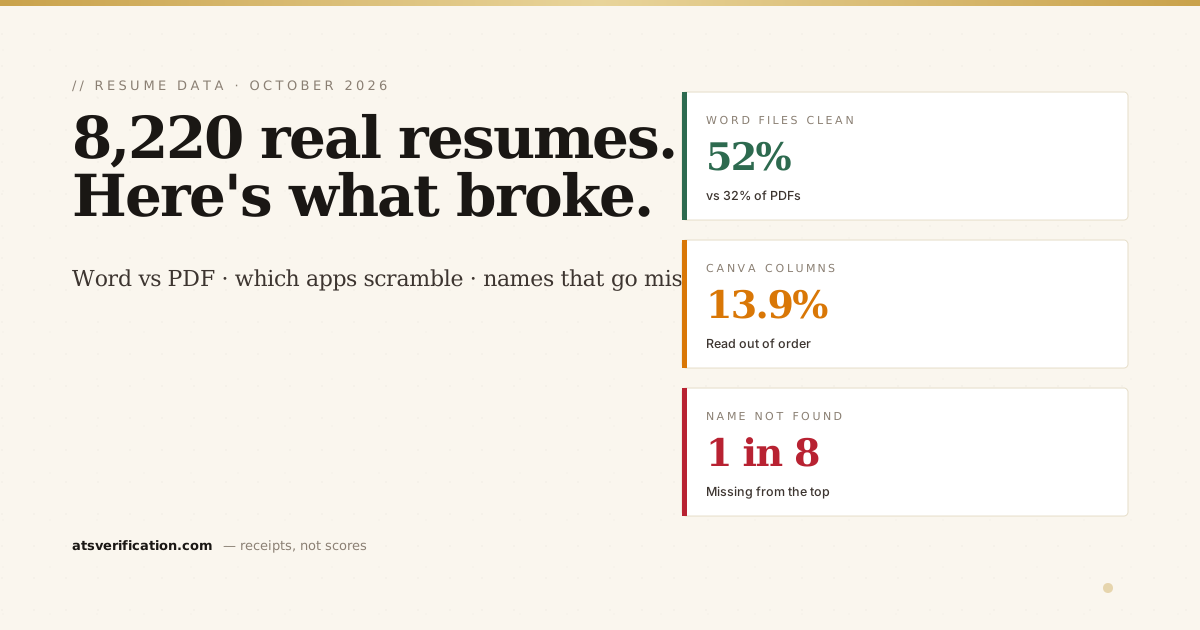
On 18 October I started keeping one anonymous record for every resume scanned on my site: what kind of file it was, which app made it, and what a parser could and could not read from it. No file, no name, no email, just the result. Two weeks later there were 8,220 of them from 127 countries. This is what they show, including two numbers I am not ready to stand behind yet.
- Only 35% of resumes had no reading problems. The median score was 95 out of 100, so most problems are small, but they are the kind that cost you a keyword search or your name on the profile.
- Word files beat PDFs: 52% of .docx files were clean, against 32% of PDFs.
- Canva is the two-column trap: 13.9% of Canva files had their columns read out of order, three to four times the rate of Word (3.7%) or Google Docs (4.1%).
- 1 in 8 resumes lost the person's name (12.7%): the parser could not find it at the top of the text.
- 3.1% of files had no text at all. Phone-made PDFs were blank to a parser 6.9% of the time, against 1.7% on desktop.
Where the data comes from
Every scan on ATS Verification extracts the text layer of the file, the same way an applicant tracking system starts, and runs the checks I describe on the methodology page. Since 18 October each scan also saves a small record of the outcome. I removed my own test files and anything that looked like a bot. The app that made each file comes from the file itself: a PDF records its producer in its metadata, and a Word file records the application that saved it.
Two honest limits. These are people who chose to check their resume, so they are probably more worried about it than average. And my scanner is a parser, not Workday or Taleo. It shows what a reader extracts, which is where most problems start, but no outside tool can show you exactly what a specific employer's system stores.
The most common problems
| Problem | Share of resumes | What it does |
|---|---|---|
| Words glued together | 22.0% | Cells of a skills table come out as one word ("SAPOracleExcel"), so a search for any one skill misses you. See the note on LaTeX below. |
| Bullets made of symbol characters | 14.0% | Icons and symbol-font bullets can arrive as boxes or junk in front of each line |
| Name not found | 12.7% | The profile is created without your name, or with the wrong words in that field |
| Missing standard headings | 12.1% | No "Experience", "Education" or "Skills" heading, so content lands in the wrong place |
| Long dashes and special characters | 11.8% | Usually harmless, sometimes stored as odd characters |
| Curly quotes | 11.0% | Mostly harmless; a few keyword matchers treat them as different text |
| Year-only or unclear dates | 7.2% | Harder for a system to work out how long you held each job |
| Two columns read out of order | 5.1% | The sidebar is read in the middle of, or before, your work history |
| No readable text at all | 3.1% | The file is a picture. To a parser it is blank |
The live, all-time version of these counts is on the ATS data report, which updates from every scan.
Word files beat PDFs
PDF is the format everyone is told to send, and 87% of the files I saw were PDFs. But the Word files did better on almost every check:
| PDF (7,151 files) | Word .docx (1,069 files) | |
|---|---|---|
| No reading problems | 32.4% | 51.8% |
| Median score | 95 | 100 |
| Words glued together | 24.1% | 7.8% |
| Missing standard headings | 13.2% | 5.4% |
| No readable text | 3.5% | 0.5% |
That matches what I found when I tested ChatGPT and Claude resumes: the same content scored higher as a Word file than as a designed PDF. A Word file stores its text in reading order. A PDF stores text placed on a page, and the reader has to rebuild the order. A simple single-column PDF saved from Word is fine; the trouble starts with design tools. If the job portal accepts .docx, it is the safer choice. More on the two formats in PDF vs Word resume for ATS.
Which app made the file matters
| Made with | Files | No problems | Columns out of order | Missing headings |
|---|---|---|---|---|
| Microsoft Word | 2,266 | 41.9% | 3.7% | 8.9% |
| Canva | 926 | 31.0% | 13.9% | 25.7% |
| LaTeX | 902 | 15.3% | 3.8% | 9.6% |
| Printed from a browser | 556 | 32.2% | 2.9% | 12.6% |
| Google Docs | 386 | 15.0% | 4.1% | 7.8% |
| LibreOffice | 366 | 34.4% | 4.1% | 12.8% |
| FlowCV | 246 | 60.6% | 4.1% | 3.3% |
Canva stands out for the two problems design templates cause. One in seven Canva files had a sidebar read out of order, and one in four had no standard section headings, often because the template uses creative labels or draws headings as graphics. What breaks in Canva templates is in are Canva resume templates ATS friendly, and why columns go wrong is in are two-column resumes ATS friendly.
FlowCV files were the cleanest of any app with more than 200 files: 61% had no problems, and almost none were missing standard headings (3.3%).
Two numbers I am not publishing as verdicts yet
Being honest about my own data means saying where I am not sure.
- LaTeX and glued words. 70% of LaTeX files triggered my glued-words check, far more than anything else (Word: 7%). That would make LaTeX the worst format here, which goes against what I have seen of single-column LaTeX resumes. LaTeX places each word on the page rather than storing spaces the way Word does, and my reader may be rebuilding those gaps more strictly than an ATS does. Until I have run real LaTeX resumes through other extractors, such as Poppler's pdftotext and Mozilla's pdf.js, treat it as a question, not a finding. The LaTeX problems I am sure of are in is a LaTeX resume ATS friendly.
- Google Docs and symbol bullets. Two in three Google Docs files were flagged for symbol bullets. My check counts the round bullet (●) that Google Docs uses by default as a symbol, and many systems store that character without trouble. So I left the bullet column out of the table above rather than let it make Google Docs look worse than it is.
I will update this post when both are checked.
Phone PDFs and blank files
3.1% of all files had no readable text. They looked like resumes, but they were pictures of resumes: a scan, a photo turned into a PDF, or an export that flattened the text into an image. To an ATS that is an empty page. On phones the rate was 6.9%, four times the desktop rate of 1.7%, and files made by Apple apps were blank 10% of the time, often a sign of a paper resume scanned with a phone camera.
The quick test: open your PDF, try to select a single word. If you cannot, nobody's software can read it either.
What I would do with this
- Send .docx when the portal accepts it, or a single-column PDF saved from Word or Google Docs.
- Avoid sidebar templates, especially from design tools. Put contact details in the body, not in a column or the page header.
- Use boring headings: "Experience", "Education", "Skills". Creative labels are the most common reason headings go missing.
- Write skills as a comma-separated line, not a table. Why tables break is in do ATS read tables.
- Make sure your name is the first line of text, on its own line, not inside a header, a graphic or a text box.
- Never send a scan or a photo. Export from the original document.
If you want a resume that avoids all of this from the start, my free resume builder makes a single-column Word and PDF file and reads both back before you download. To see how other checkers handle these problems, I ran the same files through five of them in my ATS checker test. I will publish the November numbers the same way next month.