Almost every piece of resume advice treats the experience section as a writing problem. Pick strong verbs, add numbers, keep it tight. All true, and all downstream of something nobody mentions: whether the software can work out where one job ends and the next begins. I run a resume parser, I have put 4,585 real resumes through it, and the experience section is where most of the damage happens. Here is what actually breaks, and the structure that survives.
- A parser finds your jobs by pattern, not by meaning. It looks for a title-like line, an employer-like line, and a date range close together. Break that grouping and the job disappears as a unit.
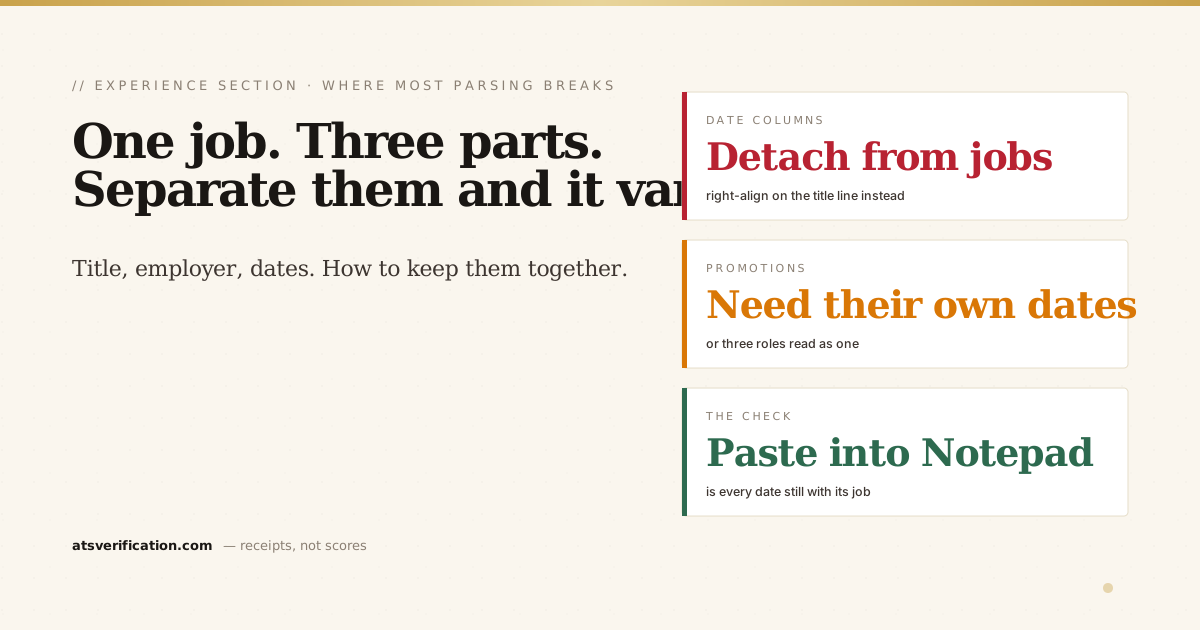
- Every role needs its own dates on its own line. This is the single rule that fixes promotions, internal moves and contract work.
- Dates in a separate column detach from their jobs. Right-aligned on the title line is safe. A second column is not.
- Ambiguous date formats appear in 8.7 percent of resumes I scan. "2019-21" and "Summer 2022" are the usual culprits.
- Reverse chronological, always. Functional resumes remove the structure the parser depends on entirely.
How the software actually finds a job
An applicant tracking system does not understand employment. It has no concept of a career. What it has is a pattern matcher looking for three things sitting near each other in the text: something that looks like a job title, something that looks like an employer, and something that looks like a date range. When it finds those three close together, it records one job and attaches the bullets that follow.
That is the whole mechanism, and every failure below is a variation of the same thing: the three pieces got separated, or one of them never made it into the text at all.
The structure that works
Plain, boring, and it parses in every engine I have tested:
PROFESSIONAL EXPERIENCE

Senior Financial Analyst                    Mar 2021 to Present
Emirates Global Aluminium, Dubai, UAE
• Bullet
• Bullet

Financial Analyst                           Jun 2018 to Feb 2021
Majid Al Futtaim, Dubai, UAE
• Bullet
• Bullet
Title on its own line with the dates right-aligned using a tab stop. Employer and location on the next line. Bullets underneath. One column, full width, nothing in a table.
The date sits on the same line as the title, which matters more than it looks. A tab stop keeps them on one line of text, so the parser reads "Senior Financial Analyst Mar 2021 to Present" and keeps them together. Put the dates in a separate narrow column and the parser reads the whole date column first, then the whole job column, and every date ends up attached to the wrong role. That is the same reading-order failure behind two-column resumes, and it shows up in 10.9 percent of the files I scan.
Multiple roles at the same company
This was the most asked question when I posted my parsing data publicly, and the advice online is genuinely contradictory. Here is what works:
Emirates Global Aluminium, Dubai, UAE          Jan 2019 to Present

Senior Financial Analyst                       Mar 2021 to Present
• Bullet
• Bullet

Financial Analyst                              Jan 2019 to Feb 2021
• Bullet
Company once with the overall span, then each title with its own dates. Those inner date ranges are not decoration. They are what tells the parser a new role has started. Without them, some engines read three promotions as one long job and your progression vanishes; others read the titles as bullets.
Some systems will record this as three jobs at one employer, others as one job with three titles. Both are fine. Both are searchable. What is not fine is a title with no dates next to it.
Give the current role most of the bullets and let the earlier titles have a line or two each. The promotion story is worth more than the space it costs, and it is one of the few things on a resume that cannot be faked.
Contract, freelance and agency work
Contractors get read as job-hoppers because each engagement looks like a separate short job. Group them under one employer line instead:
Independent Consultant, Dubai, UAE             Feb 2020 to Present
• Bullet describing the work across clients
• Bullet

Selected clients: Company A, Company B, Company C
"Independent Consultant" or "Freelance Finance Consultant" gives the parser an employer to attach the role to. Listing clients as a plain sentence rather than as separate job blocks stops each one being counted as its own three-month position. Agency workers should name the agency as the employer and the placement in the bullets.
Dates: the small format that causes real damage
Ambiguous dates appear in 8.7 percent of the resumes I scan. The failures are always the same handful:
- "2019-21" — the parser may read a single year, or a range ending in year 21.
- "Summer 2022" — no month it can map.
- "03/04/2021" — March or April, depending on which side of the Atlantic the software was written on.
- A missing end date on your current role, which reads as a job that ended at an unknown time.
Use Mon YYYY to Mon YYYY, spelled with letters, and write "Present" for the current role. It is unglamorous and it never misreads. More patterns in the date format guide.
One related trap: an em dash between the dates, glued to the words on either side. "Mar 2021—Present" can tokenize as one word. Put spaces around it or use "to". Glued dashes turn up in 18.1 percent of resumes.
Job titles: describe the job, not the company's job architecture
Internal titles are a real problem, and it is not the parser's fault. If your company calls you "Associate Director, Band 4" or "Specialist II", a recruiter searching for "Financial Analyst" will not find you, because your title does not contain those words.
The honest fix is not to invent a title. It is to give both:
Financial Analyst (internal title: Specialist II)Or put the recognisable function in the first bullet. Either way the searchable words exist somewhere in your experience section without you claiming a role you never held. We keep titles bold and one point larger than the body text in the resumes we rebuild, for exactly this reason: it is the line both the software and the human read first.
Order: reverse chronological, and nothing else
Most recent role first, working backwards. Not because it is a convention, but because the entire parsing model assumes it. A functional resume that groups achievements under skill headings and lists employers separately at the bottom removes the title-employer-date grouping completely. The software finds no jobs at all, or finds employers with no roles attached.
If you are changing careers or covering a gap, the answer is not a functional layout. It is a reverse chronological layout with a strong summary at the top doing the reframing, which is covered in chronological versus functional versus combination and, for gaps specifically, in the employment gap guide.
How far back, and how much detail
Ten to fifteen years of detail is the working rule. Older roles can be compressed into a short "Earlier experience" block with title, employer and years, no bullets. That keeps the dates continuous, which matters, without spending half a page on work from 2004. The longer version is in how far back should a resume go.
Bullets: three to six for current and recent roles, one or two for older ones. Each one an action and an outcome, ideally with a number. That part is a writing problem rather than a parsing one, and it is covered in quantifying achievements and STAR versus XYZ bullets.
The thirty-second check
Open your resume, select all, copy, and paste it into Notepad or TextEdit. Then read only the experience section and ask three questions.
- Is every job title still sitting next to its own dates?
- Is every employer still directly under the title it belongs to?
- Did any bullet end up under the wrong job?
If all three are yes, the software will find your career the way you wrote it. If any date has drifted or any employer has separated from its title, that is what a recruiter's database will contain, and no amount of rewriting the bullets will fix it. The copy-paste test explains what else to look for, and the free scan shows the extracted text next to your original with each failure named.
Every percentage in this piece comes from a live counter that updates each time someone runs a scan. It read 4,585 resumes when this was written and it will read something different when you check it.
→ Run the free scan and read your own experience section the way the software does